
Chatbot-Driven Product Selection and Purchase Flow
Once the chatbot is configured and connected, users can interact with it to browse and purchase products seamlessly.
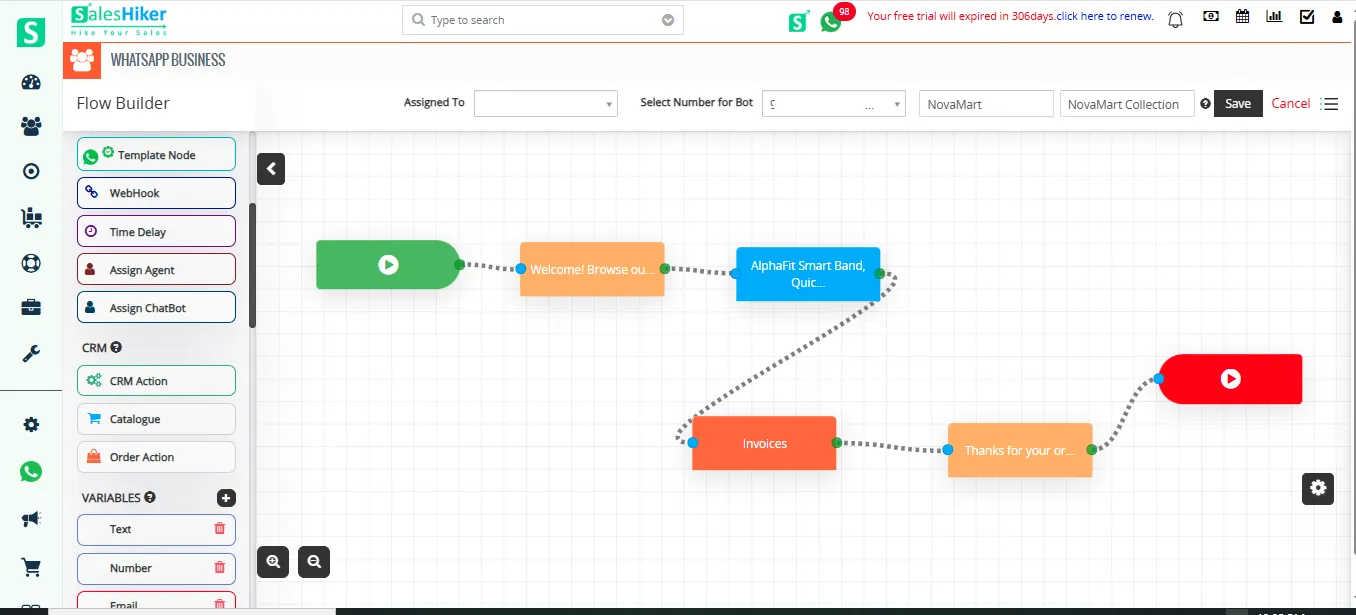
During the interaction:
- The chatbot presents product options from the catalogue.
- The user selects a product.
- The chatbot displays relevant product details, such as price.
- The user specifies the required quantity.
Based on this interaction, the chatbot processes the input and prepares the data for record creation in the CRM.
When the user sends the bot keyword, the chatbot displays product options from the catalogue directly in the WhatsApp chat window.
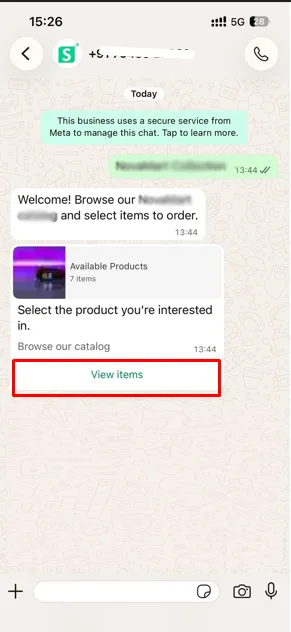
Once the user clicks on “View Items,” the catalogue displays the available products for selection.
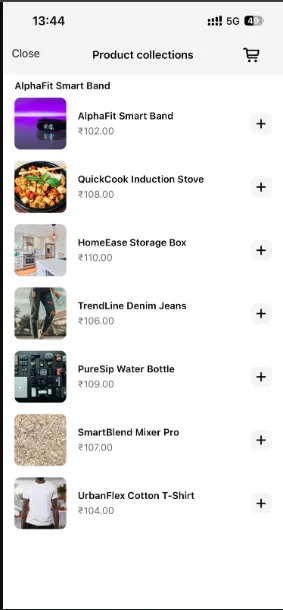
The chatbot displays relevant product details, such as price, allows the user to select the product quantity, and updates the total amount in the cart accordingly.
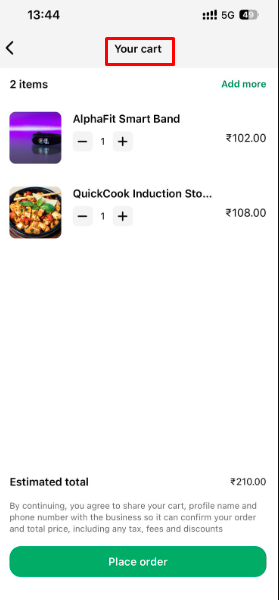
Once the order is placed, a record is created in the CRM module mapped within the chatbot via WhatsApp.
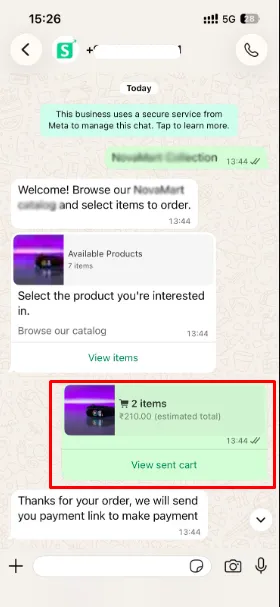
This automated flow ensures a smooth and guided purchasing experience for end users.
Automated Record Creation in CRM
After the user completes product selection and enters the required quantity, the system automatically creates a record in the configured CRM module.
Depending on the setup, the record may be created in:
The created record includes all mapped details, such as the selected product, pricing, and quantity, ensuring a complete and accurate transaction entry.
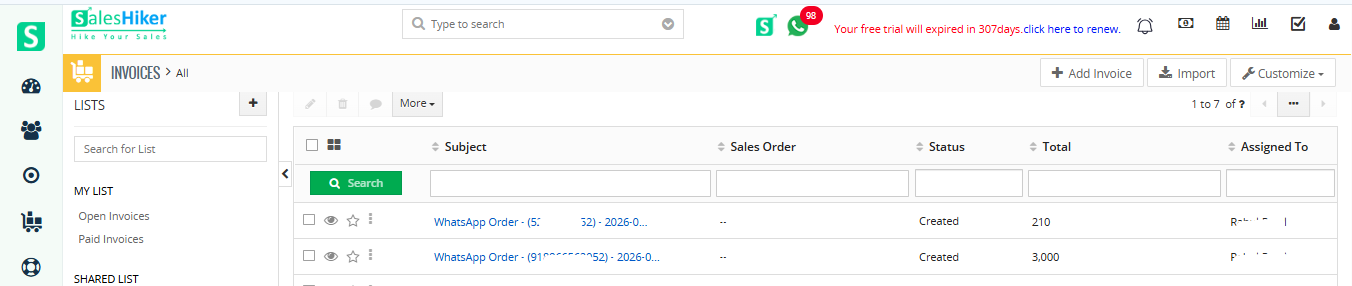
This automation significantly reduces manual effort and improves operational efficiency.

 by
by