
Chatbot Setup: Using Catalogue and Order Action Nodes
The chatbot is designed to simplify product discovery and order processing. With integrated Catalogue and Order Action nodes, users can easily explore products and complete actions without leaving the chat interface.
Catalogue Node:
The CRM chatbot builder includes a dedicated Catalogue Node under CRM actions. This node is used to dynamically display catalogue products during chatbot conversations.
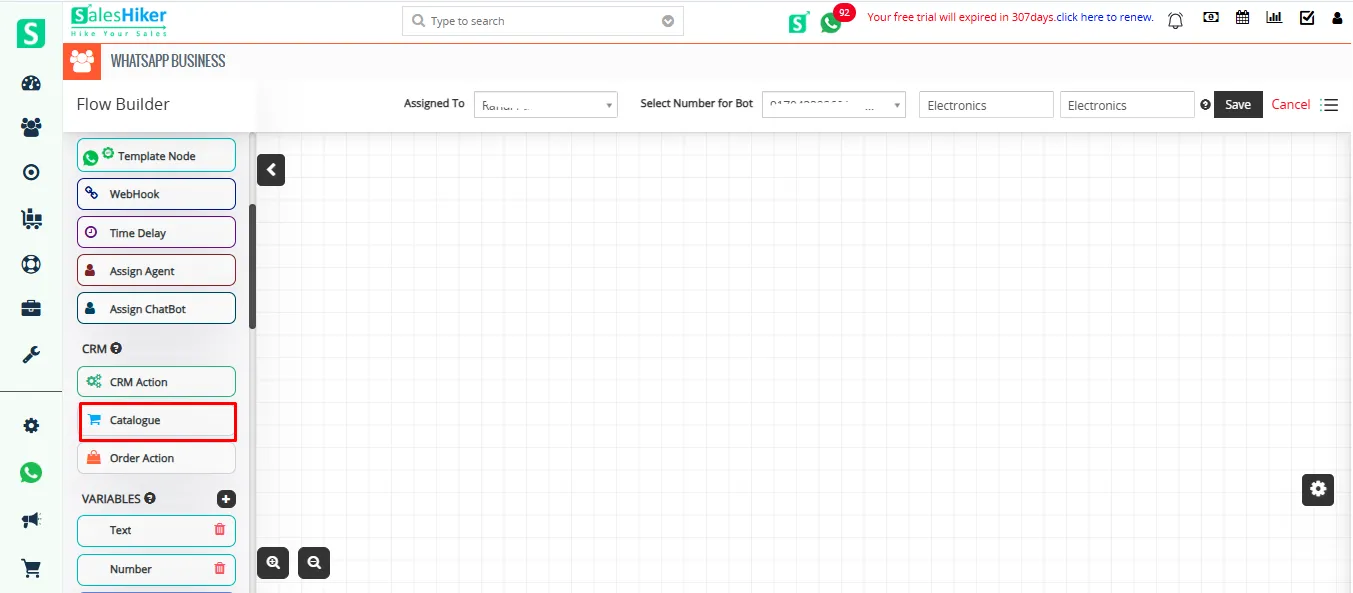
When configuring the Catalogue Node:
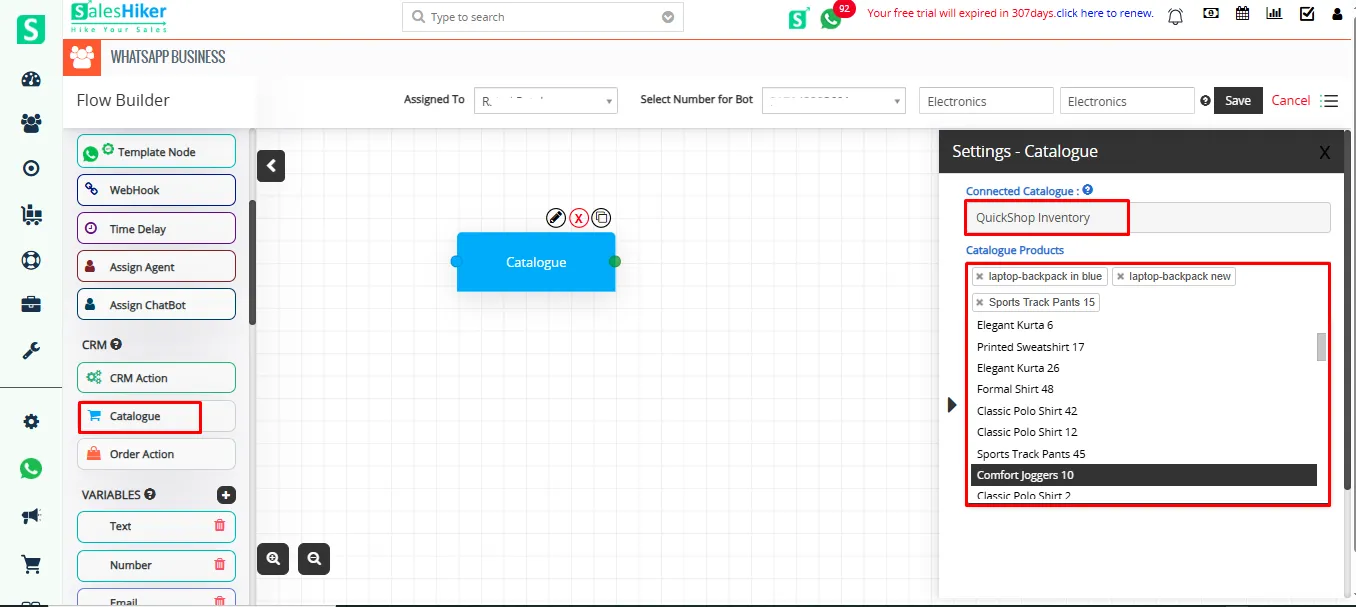
- The default catalogue is automatically selected.
- Only products from the default catalogue are available for selection.
- A dropdown list displays all available products from that catalogue.
Users can configure the node to present specific products or allow users to choose from multiple options during the conversation flow.
This node plays a crucial role in enabling product discovery directly within the chatbot interface.
Order Action Node
To enable order processing, the chatbot provides an Order Action Node, which is responsible for creating records in CRM inventory modules based on user interactions.
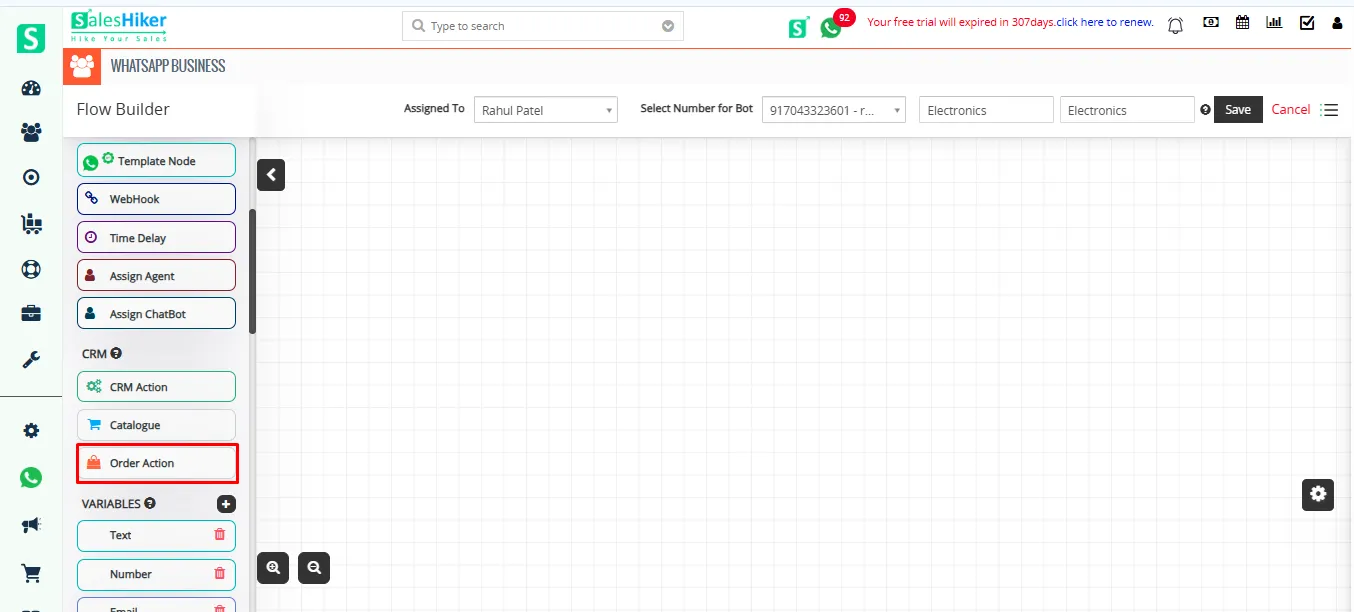
Within this node, users can:
- Select the target module where the record should be created, such as:
- Quote
- Invoice
- Sales Order
- Purchase Order
- Configure field mappings to pass product-related data into the selected module.
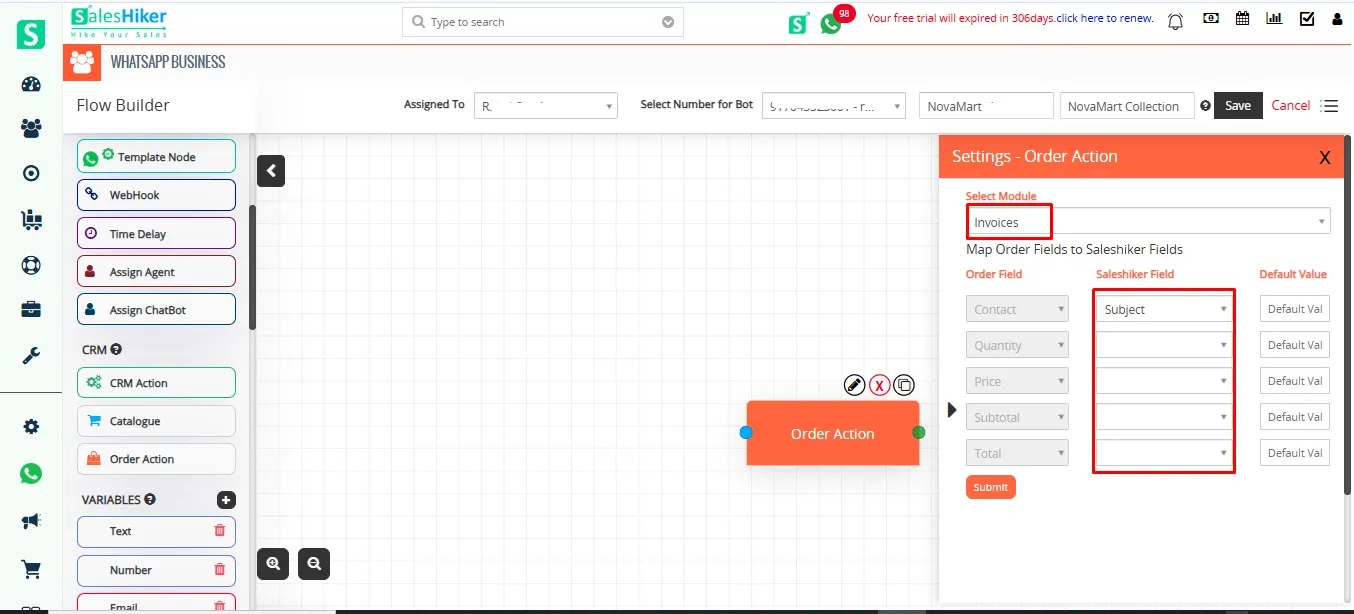
Field mapping ensures that values such as:
- Product Name
- Price
- Quantity
are automatically captured and stored in the respective CRM module during record creation.
This eliminates manual data entry and helps ensure accuracy in transaction records.

 by
by