
Catalogue Synchronization from Meta to CRM
The integration starts by syncing products created in the Meta catalogue with the CRM system. This ensures that all product-related data is available in the CRM for further processing and automation.
Once products are created in the Meta catalogue, users can navigate to the Catalogue section in the CRM and initiate synchronization using the “Sync” option. When this action is triggered, the system fetches the product data and imports it into the CRM.
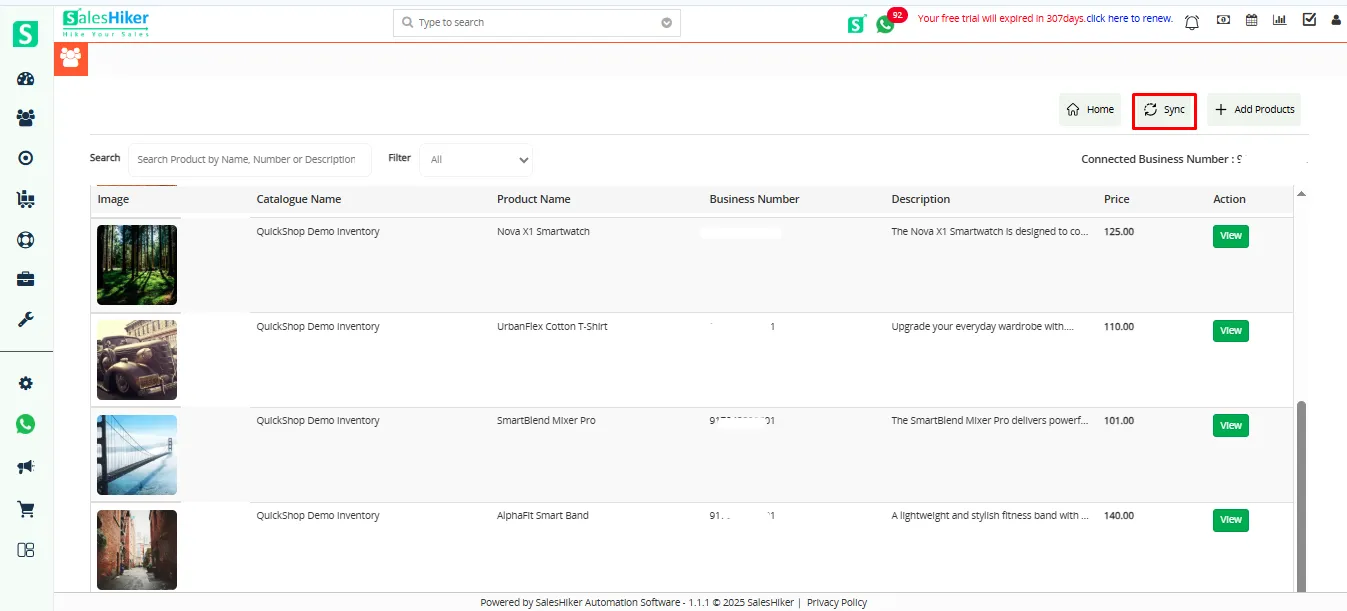
The following product details are automatically synced:
- Product Name
- Catalogue Name
- Price
- Description
Important Considerations:
- Only products from the default connected catalogue will be synchronized.
- If multiple catalogues exist in Meta, ensure the correct catalogue is set as default before syncing.
- Any updates made in Meta require re-syncing to reflect in the CRM.
After successful synchronization:
- Products become available in the CRM Catalogue section.
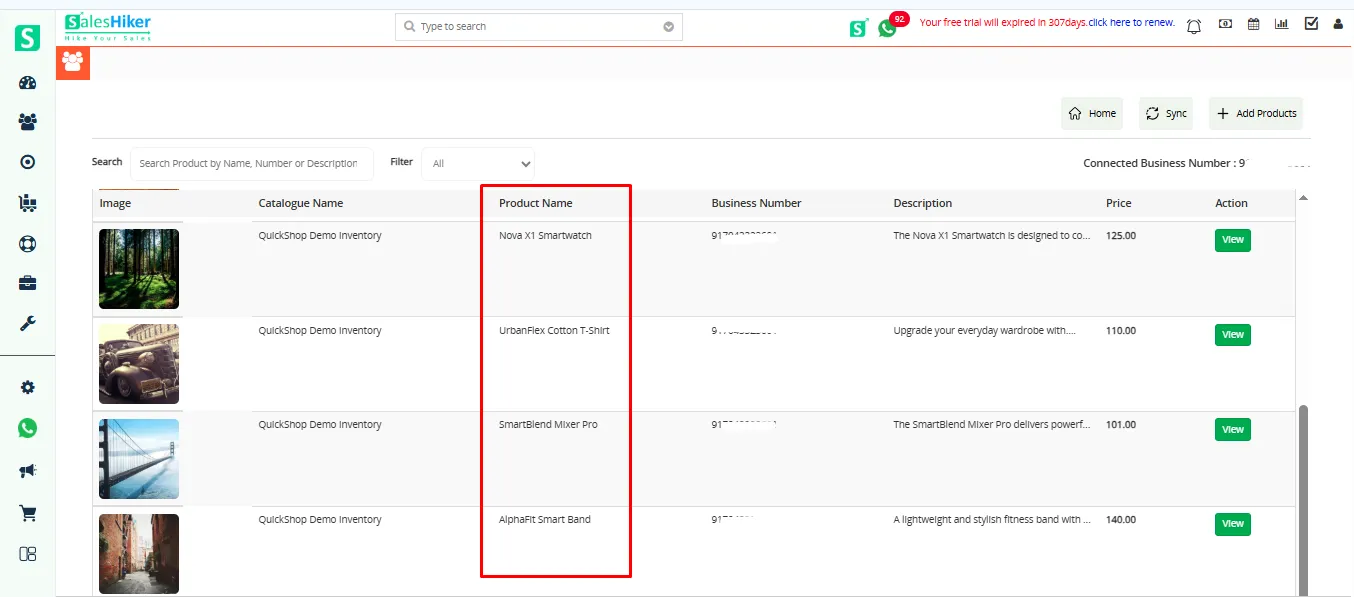
The same products are also reflected in the CRM Product Module, ensuring consistency across the system.
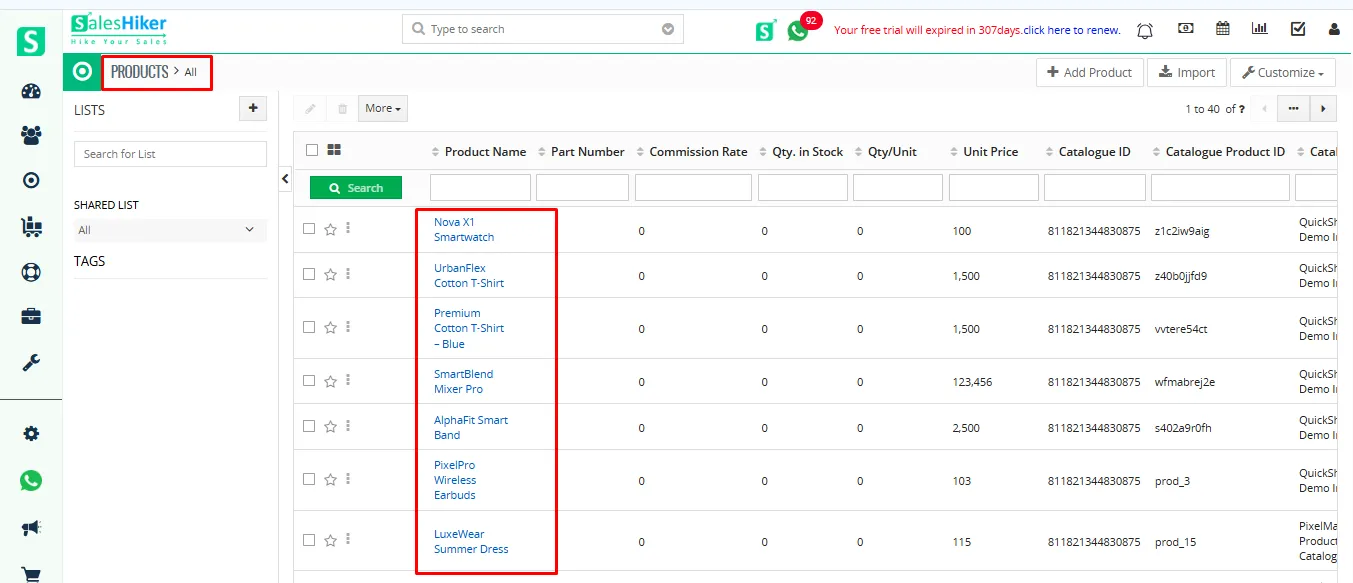
Catalogue Availability within CRM
Once the synchronization process is complete, the catalogue and its associated products become fully accessible within the CRM. This allows users to utilize the same product data across multiple CRM functionalities, including chatbot automation and inventory modules.
The catalogue acts as a centralized repository, ensuring that all product-related information remains consistent and up to date.

 by
by