
How does WhatsApp Business Chatbot work?
Support Bot Flow: Creating a Ticket for an Existing Contact
How does the WhatsApp Business Chatbot for the Support team work ?
Activate “Support Bot” to connect your WhatsApp Business Number.
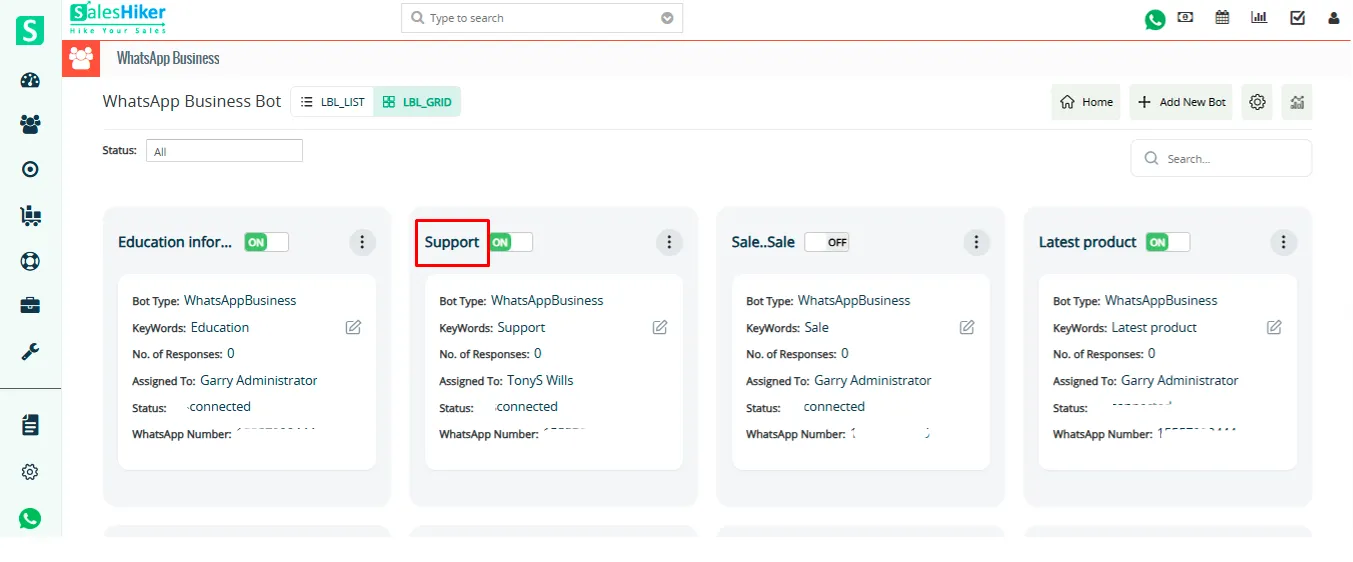
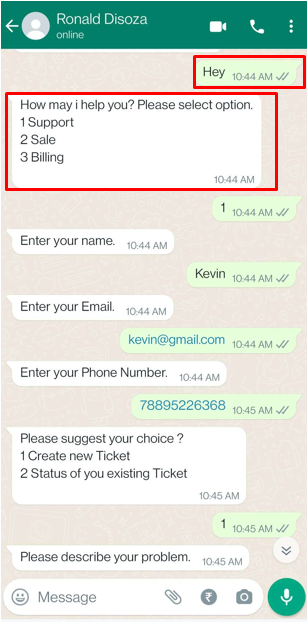
When you message a Keyword “Help”, “Support”, Bot will auto-respond according to the flow.
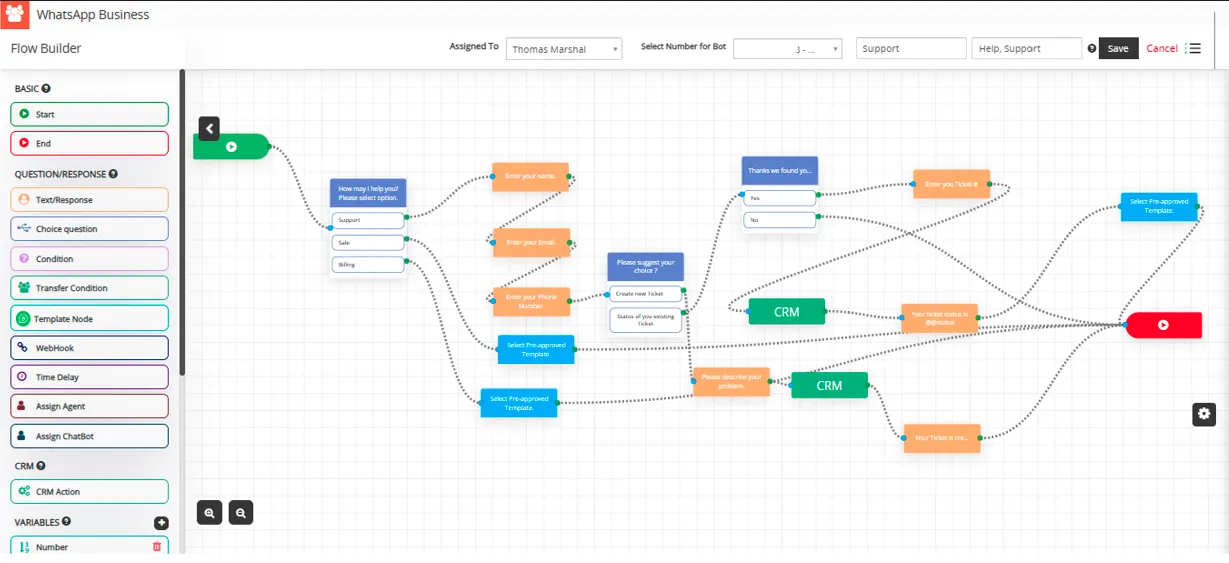
Select the “Support” choice as its set flow for that.
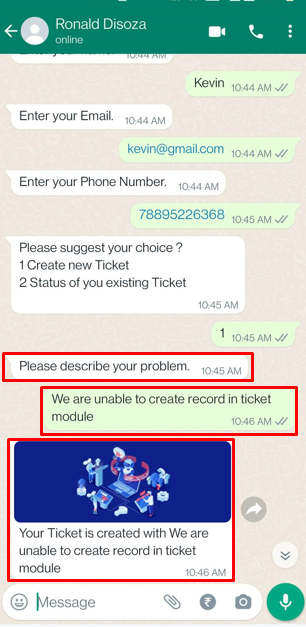
Enter Name, Email and Phone Number, that will create contact according to the details you entered detail as its set CRM Action in flow.

Enter your choice “To create a new ticket” or “Status of existing ticket”.
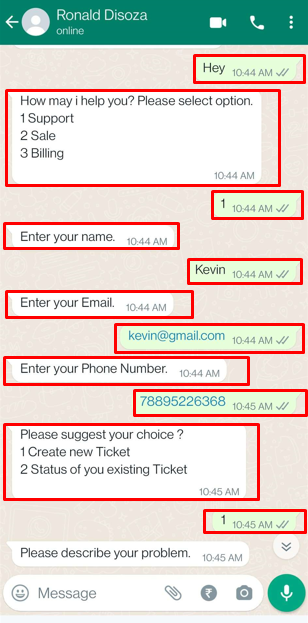
If you select “Create New Ticket” by entering number as 1 will ask to describe your concern.
It will create a ticket in CRM against your concern.

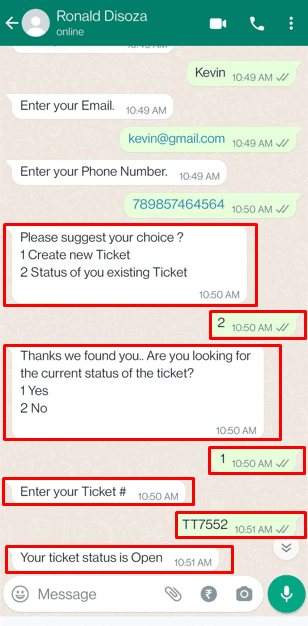
Or If you select “Status of your existing Ticket” by enter number as 2 will ask you to enter the ticket number to show ticket status.
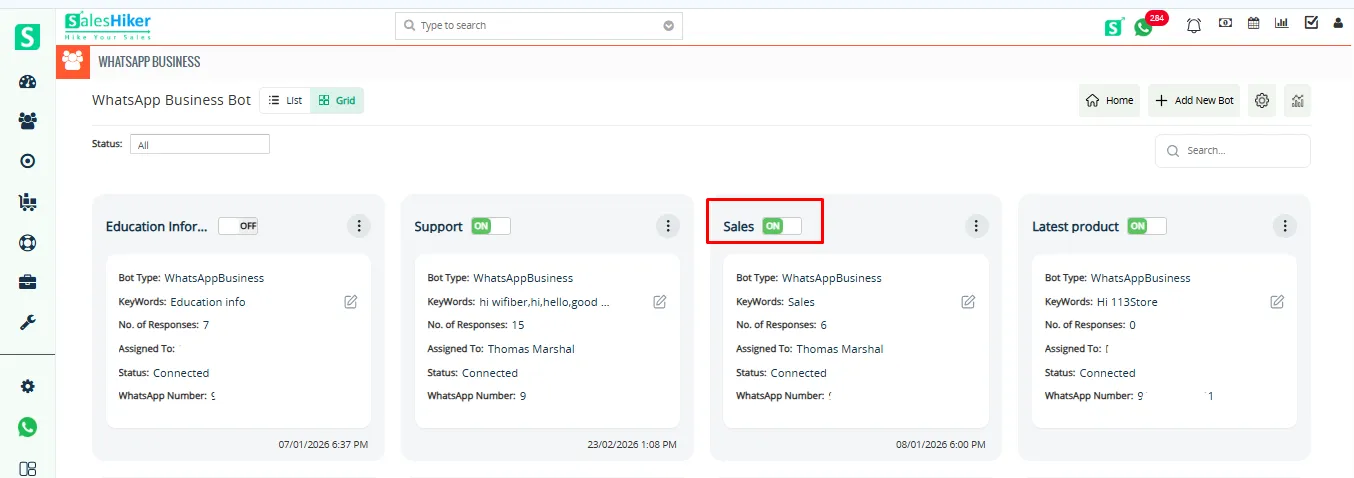
Understanding Conditional Flows in the WhatsApp Business Chatbot for Sales Teams Activate “Sales bot” to connect your WhatsApp Number.
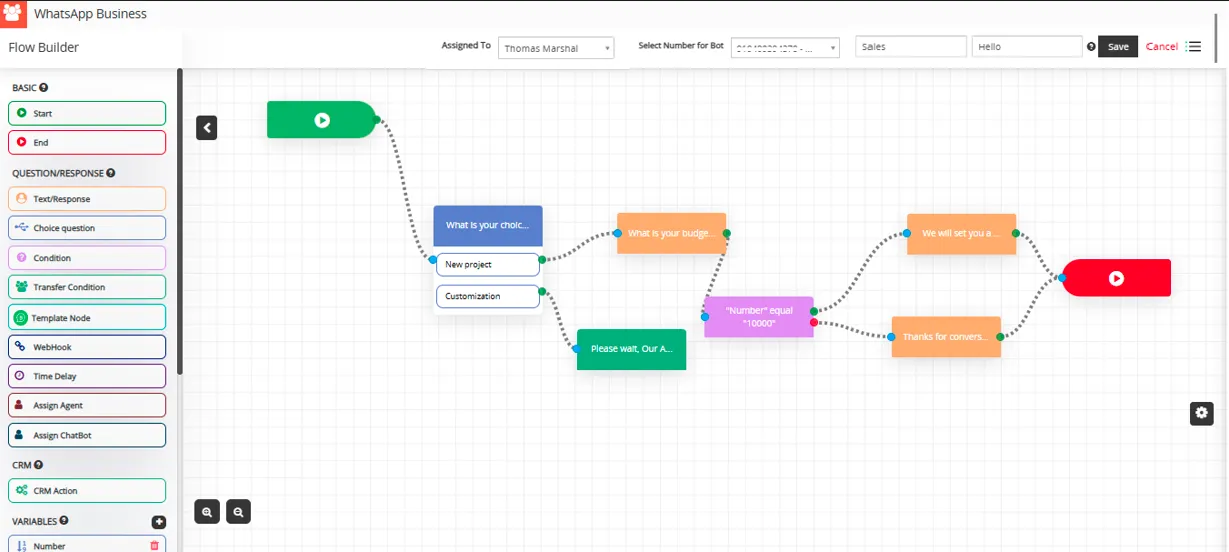
When you begin messaging with “Keyword,” the bot will automatically respond based on the predefined flow.
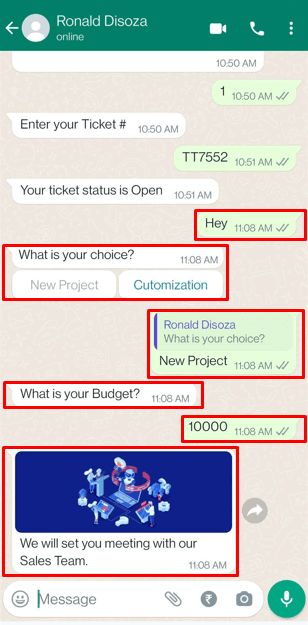
- Select the “New Project” option, as this initiates the configured flow.
- In response to the prompt “What is your budget?”, enter your budget amount.
If you enter “10000”, the condition set as “Number equal to 10000”, will evaluate as true, and the bot will respond with:
“We will set up a meeting with our Sales Team.”
If you enter any value not equal to 10000, the condition will evaluate as false, and the bot will respond with:
“Ok, thanks. Our Sales Team will contact you soon.”

 by
by