



How does WhatsApp Chatbot work?
Note: It must be activated for Multiple WhatsApp Numbers for users.
- Users can activate or in-active WhatsApp Bot by clicking the ON/OFF button accordingly.
- Users can also sort Bot Names alphabetically.

How does the WhatsApp Chatbot for the Support team work ?
- Activate “Support Bot” to connect your WhatsApp Number.

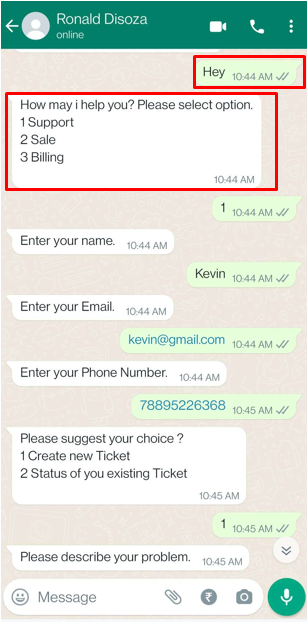
When you start messaging as “Any message”, Bot will auto-respond according to the flow.
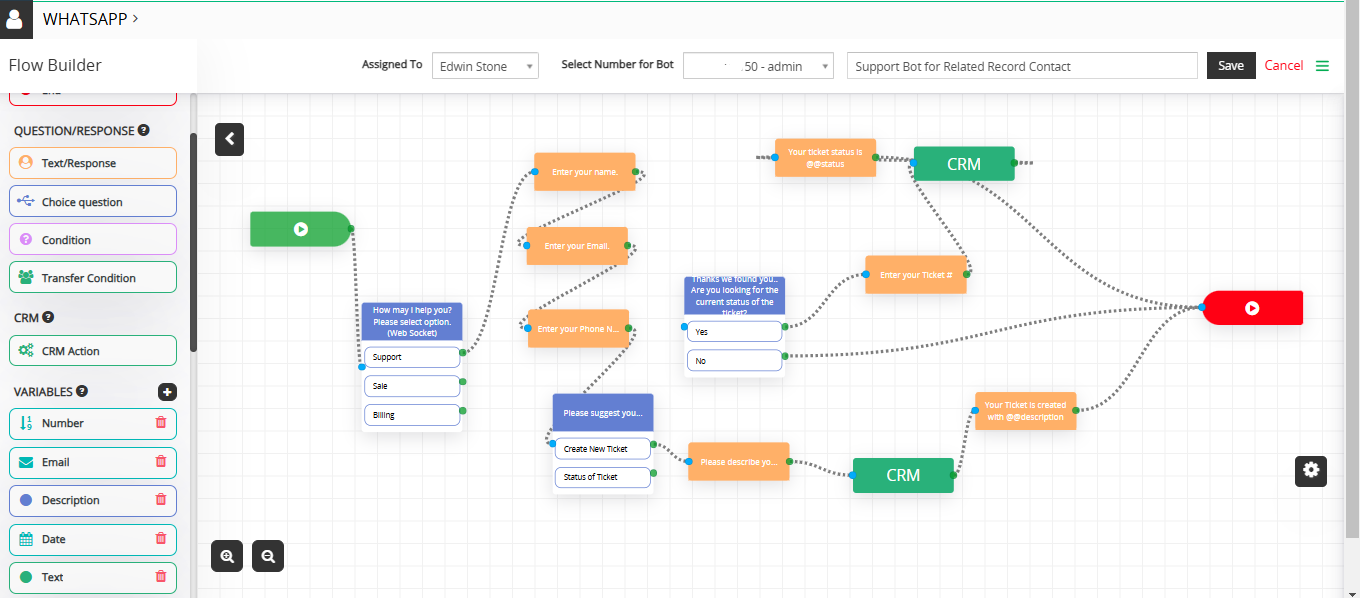
- Select the “Support” choice as its set flow for that.
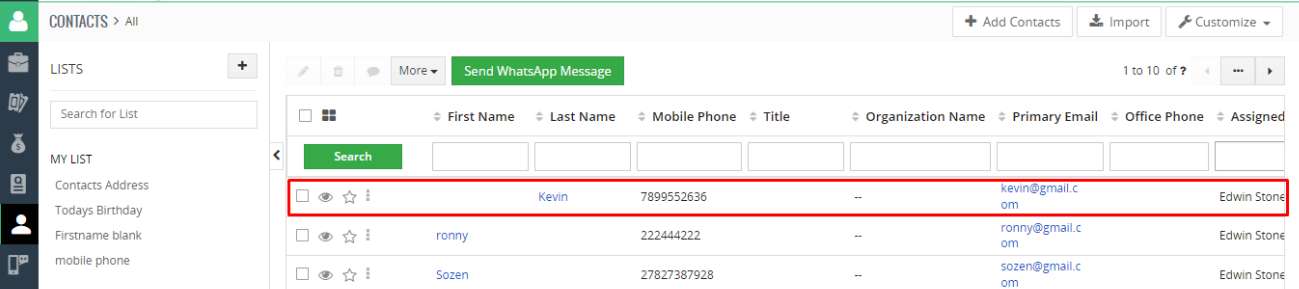
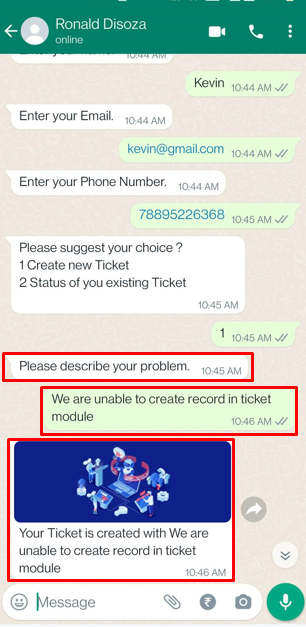
- Enter Name, Email and Phone Number, that will create contact according to the details you entered detail as its set CRM Action in flow.
- Enter your choice “To create a new ticket” or “Status of existing ticket”.
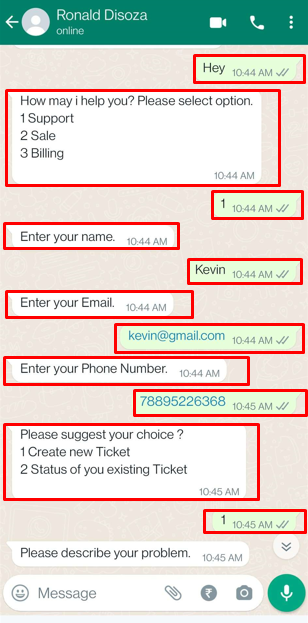
- If you select “Create New Ticket” by entering number as 1 will ask to describe your concern.
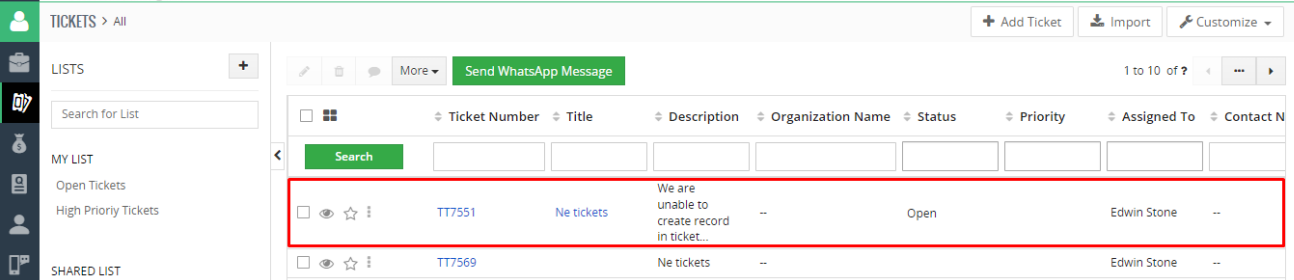
- It will create a ticket in CRM against your concern.
- Or If you select “Status of your existing Ticket” by enter number as 2 will ask you to enter the ticket number to show ticket status.

 by
by