Engage, support, and convert leads — 24/7 — with a fully automated WhatsApp chatbot that connects
directly to your CRM and business tools. No Coding. No Delays. Just Results.
Unlike most WhatsApp bots, our platform doesn’t just chat — it acts. Our chatbot
connects directly to your internal systems and performs key business functions without human
intervention.
CRM-Integrated Actions – Right from the Chat
Create Invoices & Quotes when customers report issues
Generate Support Tickets directly from user input
Book Appointments and sync them with your calendar
Take Orders or Schedule Follow-Ups based on chat flows
Push data to your CRM (e.g., vTiger, Zoho, HubSpot, or Custom Systems)
Respond to Campaign Replies Automatically
Auto-Trigger Flows based on customer replies like “Yes” or “No”
Segment and tag users instantly for Follow-Up actions
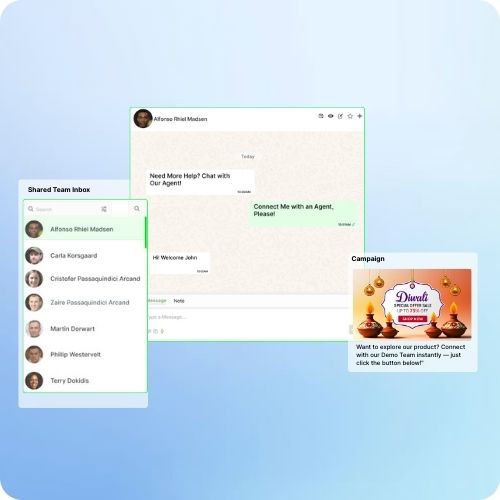
Escalate to human agents when needed — All in Real Time
Built-in Automation for Business Growth
Custom condition-based replies
WhatsApp broadcast campaigns with chatbot fallback
Tag-based segmentation and lead tracking
Dynamic flows with images, buttons, and forms
Support WhatsApp Template
Support for Multi-Agent routing and escalations
Benefits of Our WhatsApp Business Automation Tool
Here’s how real businesses use our WhatsApp automation platform to drive results every day:
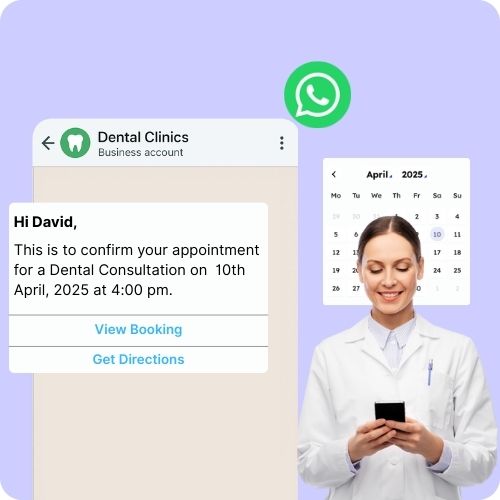
Dental Clinics: Auto-Schedule Appointments
When a patient replies "Yes" to a campaign reminder, the chatbot instantly shares available slots and books the appointment — syncing it with the clinic’s calendar.
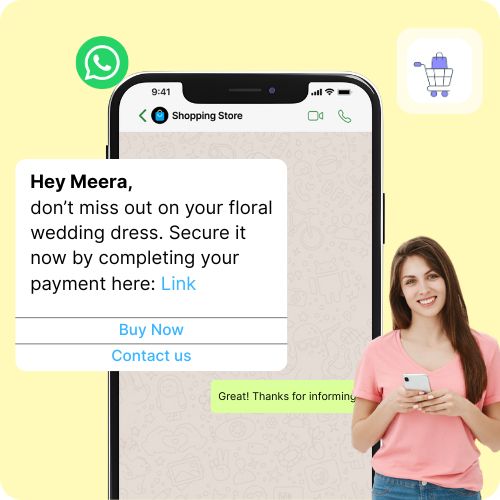
E-commerce Stores: Recover Abandoned Carts
Send automated follow-up messages to users who added products but didn’t check out.
If they respond, the chatbot offers discounts or FAQs, helping close the sale.
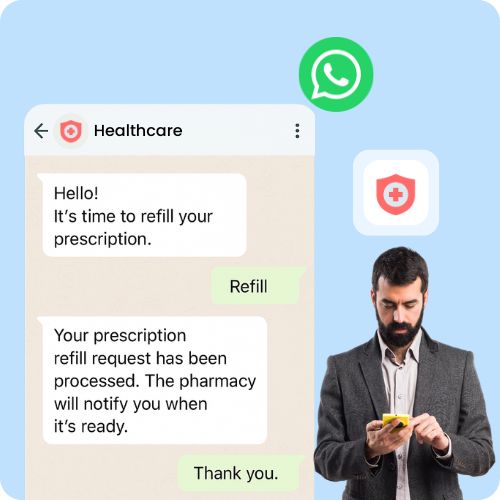
Healthcare: Automate Prescription Refills
Patients receive automated reminders and can reply "Refill". The chatbot
processes the request and notifies the pharmacy — no calls needed.
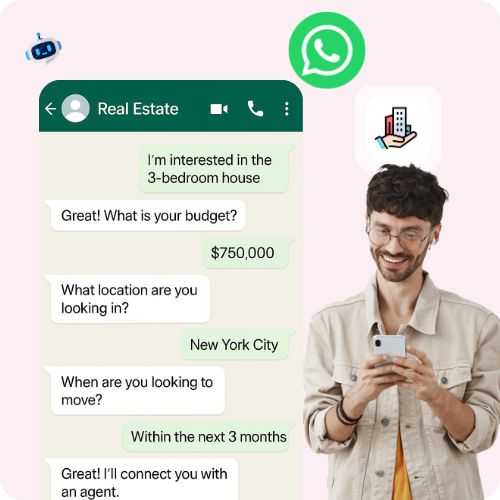
Real Estate: Qualify Leads Instantly
When leads inquire about a property, the chatbot collects budget, location, and
timeline — and routes serious buyers to agents automatically.
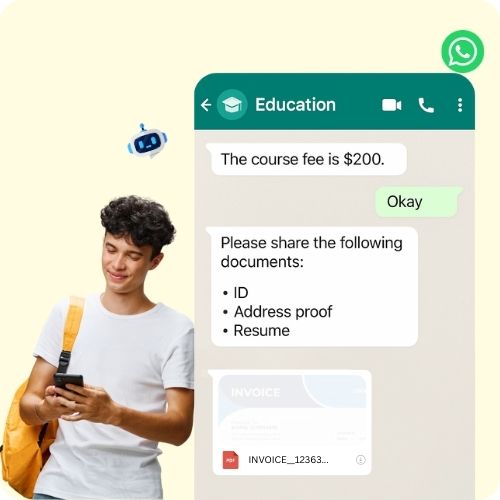
Education: Auto-Enroll & Collect Fees
After a responds to a campaign about a course, the chatbot shares fee details,
collects documents, and generates an invoice on the spot.
Service Businesses: Create Support Tickets
When a customer replies with a complaint, the chatbot logs it as a ticket in your
CRM and assigns it to the support team — with full context.
Frequently Asked Questions on No-Code WhatsApp Chatbot
1. Can I use this WhatsApp chatbot across different industries?
Absolutely! Our platform is industry-agnostic and customizable. Whether you're in healthcare,
e-commerce, real estate, education, or services — you can build tailored flows to automate
conversations, appointments, lead capture, or ticketing.
2. How does the chatbot work with WhatsApp Campaigns?
When you send a broadcast via WhatsApp, the chatbot can automatically respond based on how
the user replies. For example, if someone replies “Yes” to a promotion, it can trigger a
booking flow or offer assistance instantly.
3. Can the chatbot create records like appointments, invoices, or support tickets?
Yes! Our system integrates with your CRM or internal tools, so the chatbot can directly
create appointments, invoices, support tickets, quotes, and even orders — all from within
WhatsApp.
4. What happens if a customer needs help beyond the chatbot's scope?
No worries! Our automation supports smart bot-to-human handoff. You can set conditions to
automatically assign such conversations to a live agent, while keeping the chat context
intact.
5. Do I need technical skills to set up the chatbot?
Not at all! Our visual, no-code builder lets anyone create and launch chatbot flows with zero
coding. You can go live in under 30 minutes with drag-and-drop ease.
Stop Losing Leads on WhatsApp. Start Closing Them
Over
500+ brands trust
SalesHiker to automate conversations, nurture leads, and convert chats into
revenue.
Get started now and scale your business with powerful WhatsApp CRM and automation.
We use cookies to improve your experience, to analyze our traffic and to provide you with more interactions. Click “Allow All Cookies” to accept our use of cookies.
Privacy Policy



















 by
by