



WhatsApp Automation (Workflow)
This module can be accessed from Settings > CRM Settings > Automation >Workflows.
Here the list view of the workflow will be visible.

Here the contact updation workflow is activated.
So if the conditions provided in the workflow met properly then workflow will work and update the contact.

- WhatsApp workflow allows sending Automated WhatsApp messages on the trigger event of any module link with the WhatsApp module.
- To add the new workflow click on ‘New Workflow’ to add the new workflow.

- After clicking on the button below the screen will be visible.
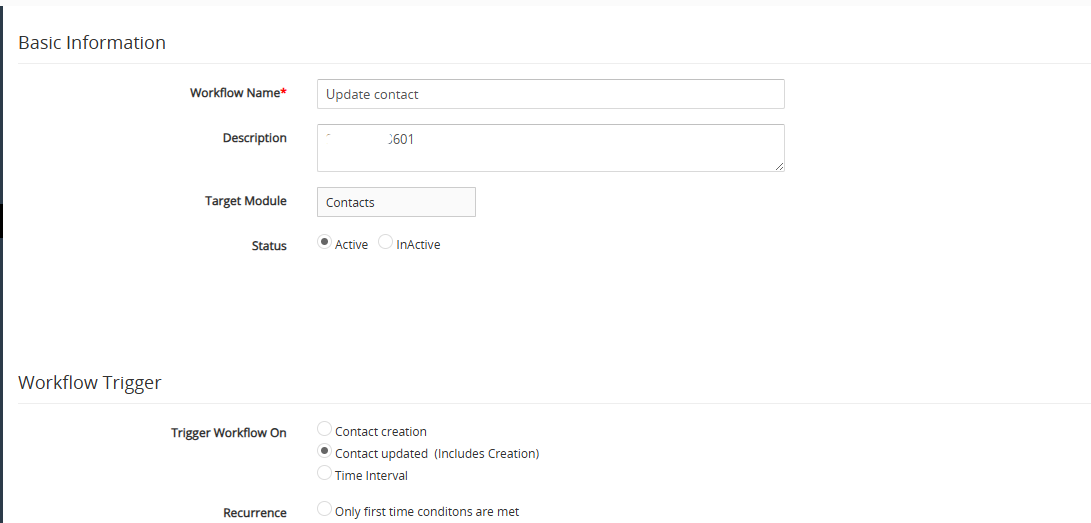
Add basic details and select the condition on which you want to fire a workflow.
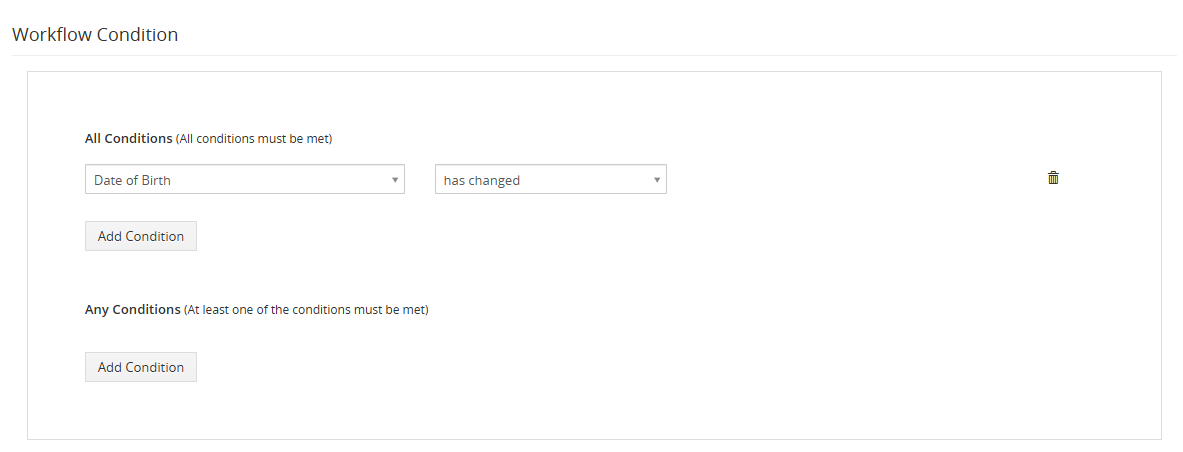
After adding conditions action should be selected .
From here users can select if they want to create a workflow for WhatsApp or WhatsApp business.
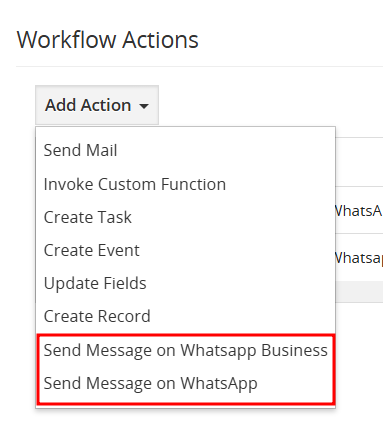
More conditions can be added from the above dropdown.
- The WhatsApp workflow can configure the WhatsApp messages to whom we want to send individually WhatsApp templates to share files or message format, general field, add fields and message.
- In the above workflow whenever conditions will be matched and the contact get updated the user will get a message on WhatsApp/WhatsApp business.

 by
by