



General Settings
SalesHiker Mobile Apps offer some settings in Admin to operate SalesHiker Mobile Apps accordingly.
“General Settings” will be accessible from the following path.
GoTo Settings > Other Settings > SalesHiker Mobile App Settings
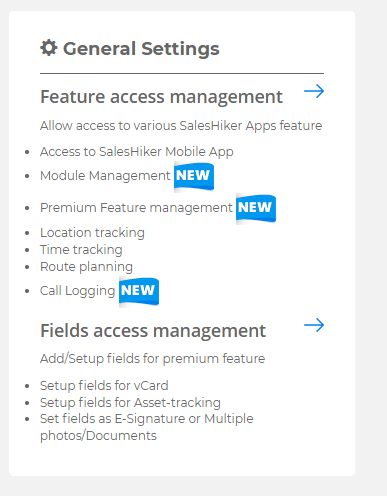
Access to Users
Access to users option allow your CRM users to access various features of SalesHiker Mobile Apps
- Access to SalesHiker Mobile App: This option allows users to access SalesHiker Mobile Apps.
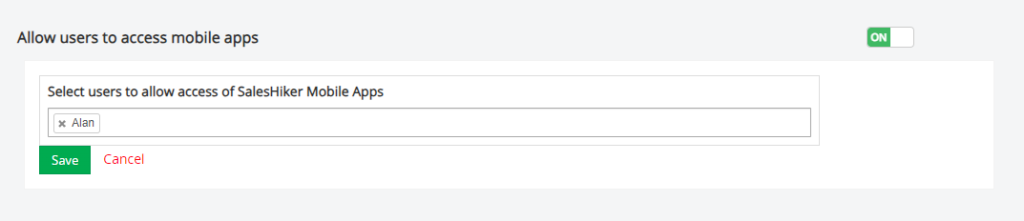
All users : If you’ve set “All users” in access then any users added in future will get access to apps as default.
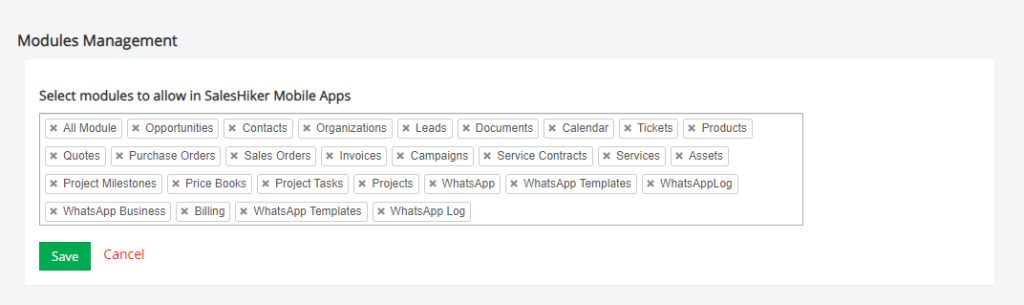
Users/Groups : If you’ve set an individual user or specific group in the list then it will allow specific users/groups to access SalesHiker Mobile Apps. - Module Management : This option allows admin users to add/remove Modules to be available for users in the SalesHiker Mobile Apps.
- Asset / Card Scanner: This option allows admin users to enable/disable QR code scanner, Business card scanner and Asset tracking features for Mobile App.

- Track Users Location : This option allows admin users to Add/Remove Location tracking of users who have access to SalesHiker Mobile Apps.
*Admin users can enable/disable access to the location/time tracking features for SalesHiker Mobile Apps Users meeting check-in/check-out, Attendance, Nearby customers, Record view on map, Address Auto Filter.
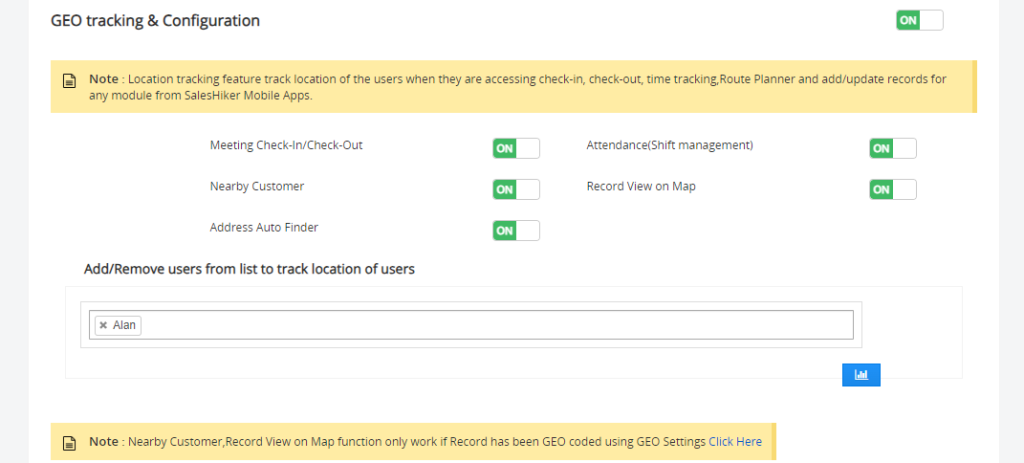
Users/Groups : If you’ve set an individual user in the list then it will track location of specific users of SalesHiker Mobile Apps. - Communication : This option allows users to enable/disable different option for communication like Call, Email, SMS and WhatsApp for Mobile App.

- Route Planner : This option allows admin users to Add/Remove users to set up route planner features. Route planner is accessible from Mobile Apps for users to plan their route of Sales or Delivery.
* This feature requires Google API integration for the accurate result on the map.
Users/Groups : If you’ve set an individual user in the list then it will track location of specific users of SalesHiker Mobile Apps.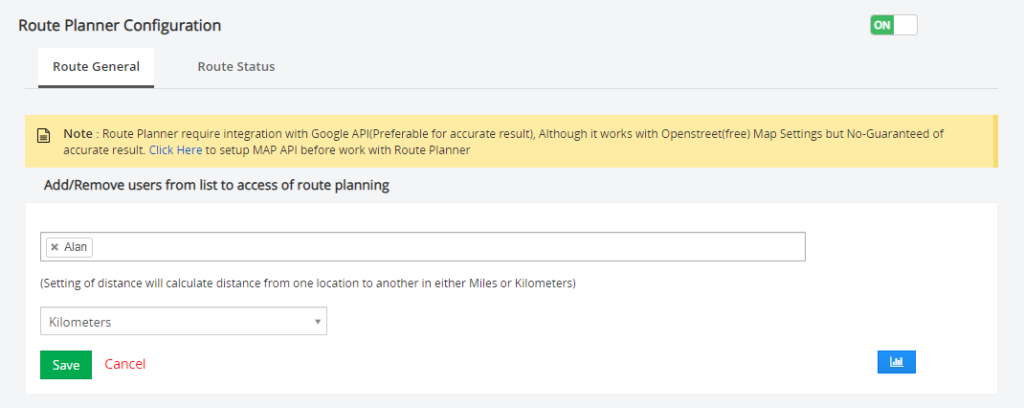
Kilometres/Miles : Set Kilometres or miles according to your destination’s distance settings.
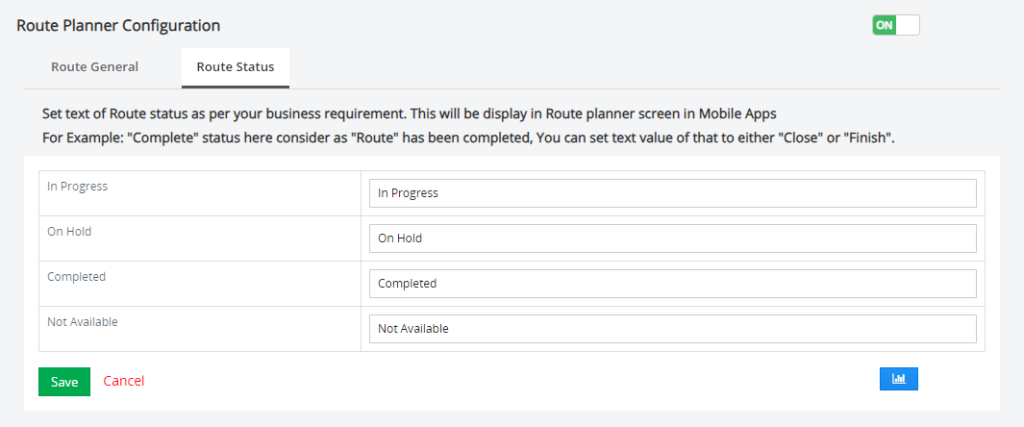
Route Status : Setting of route status text helps you to display status of route as per your personalized text.
- Time tracker configuration : This option allows admin users to Add/Remove modules for users to track time against any records of the module. Remove/Disable module from Time tracker configuration page will not allow user to track time.
* Time tracking function only tracks Location if GEO Location Tracking is enabled for the user from GEO Location tracking section.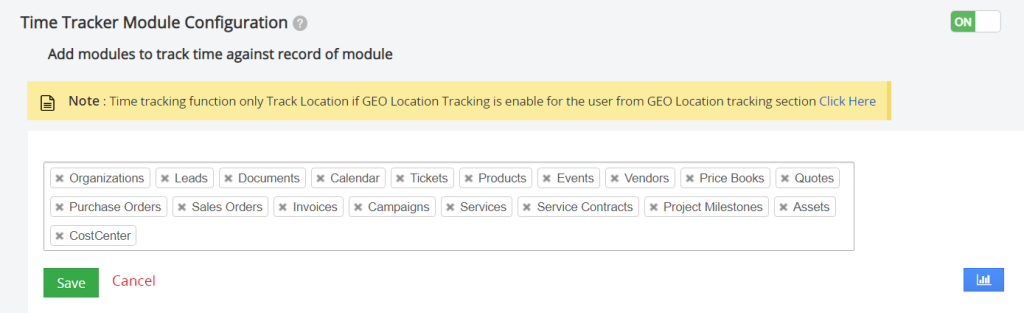
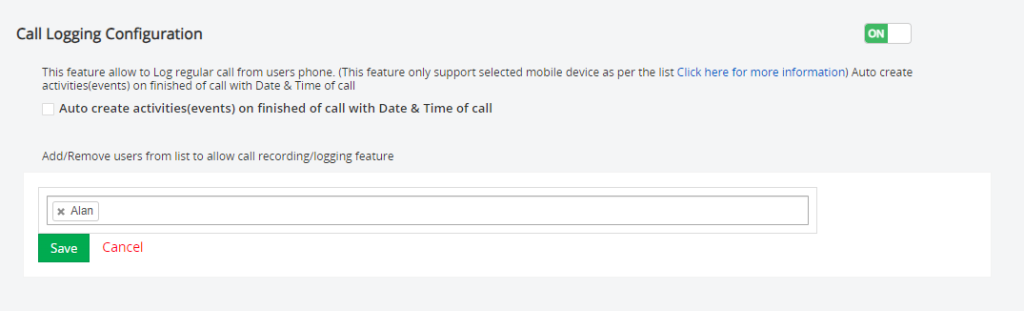
- Call Logging Configuration : *This option allows users to keep a log of their regular call from the user’s phone.
Admin users have the right to add/remove users from accessing the call logging list.
Note : This feature only offers to Limited android phone who allows call Logging and recording
Here is the List of the Phone with version # allow
Only certain devices and carriers support this feature. You can’t record calls in all countries and regions. To record your phone calls:
- Your device must run Android 9 or higher.
- Your device must have the Phone app pre-installed and updated to the latest version.
- You must be in a supported country or region.
Click here for more information about Call Recording

 by
by