



My Account Summary
As an administrator your first step towards SalesHiker Mobile Apps will involve a summary of your account. which will be visible to only Admin users.
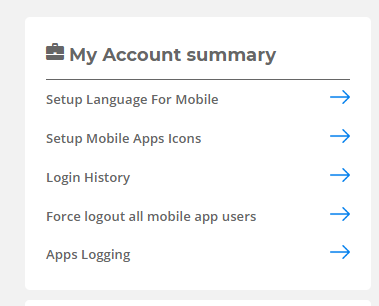
“My Account Summary” will be accessible from the following path.
GoTo Settings > Other Settings > SalesHiker Mobile App Settings
- Setup Language for Mobile
SalesHiker Mobile App offers Localized Mobile Apps solutions to allow all text in Mobile Apps and Web CRM(Specific to SalesHiker Apps) in your Language. How to Set Text for a Specific Language ?
From Setup Language for Mobile page Select Your Local language and Section for which you would need to Change text to your language.
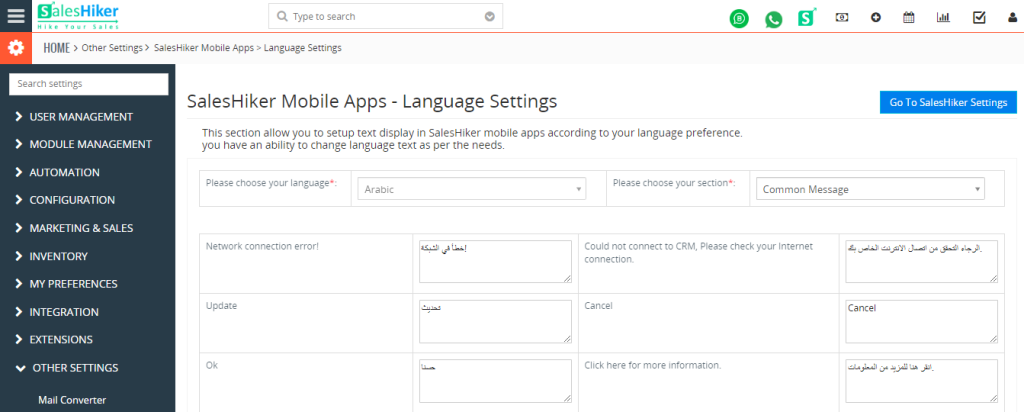
*Once you change Language User needs to Logout and Login to Mobile Apps for Language to Take into effect. - Setup Mobile Apps Icons
Users can set up module icons for Mobile App. - Login History
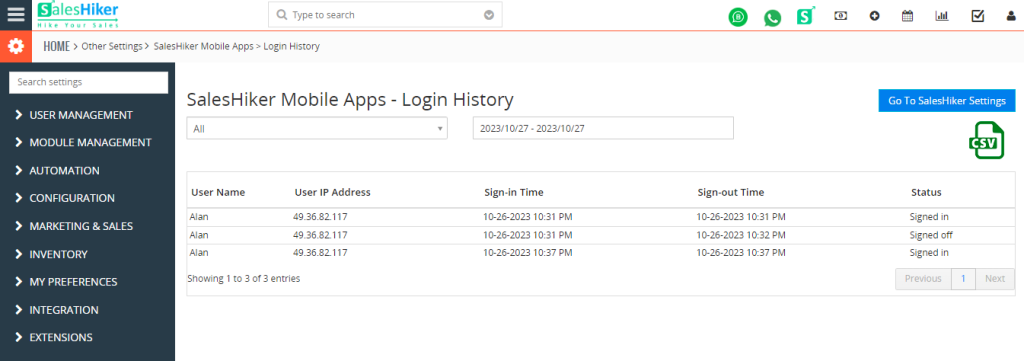
Users can view the Login History of the different users date-wise for Mobile App.
- Force logout all mobile app users
Users can Logout all users forcefully from the app by using this option. - Apps Logging
If you have any problem with the Apps and SalesHiker Team asked you to send Log then click on “Download Logs” icon to download file. Please email download file to [email protected] for team to further investigate your issues.

 by
by