WhatsApp Opt-Out
The WhatsApp Opt-Out feature allows customers to stop receiving promotional or marketing communications from your business through WhatsApp. This ensures compliance with WhatsApp’s policies while respecting customer preferences.
When a customer opts out:
They will no longer receive one-to-one promotional or mass campaign messages.
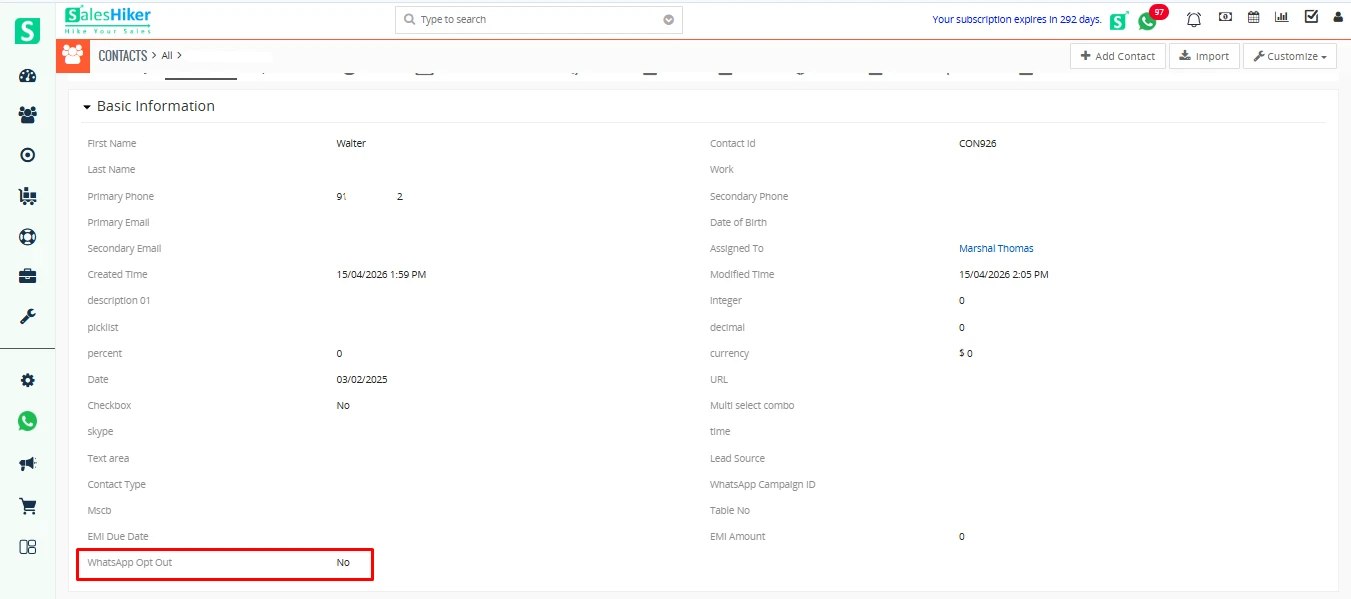
The opt-out status is automatically recorded in the CRM, and the corresponding checkbox (shown in the screenshot below) will be enabled or disabled accordingly
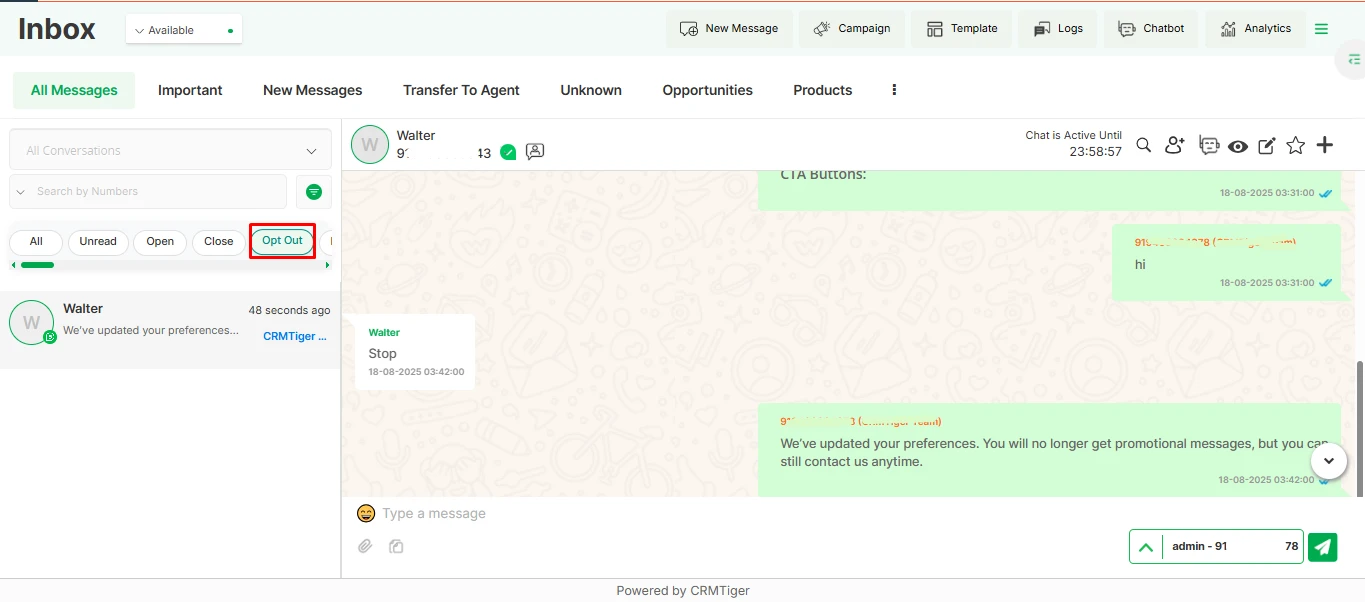
The opted-out records will also appear in the Timeline page under the Opt-Out filter list, as shown below.
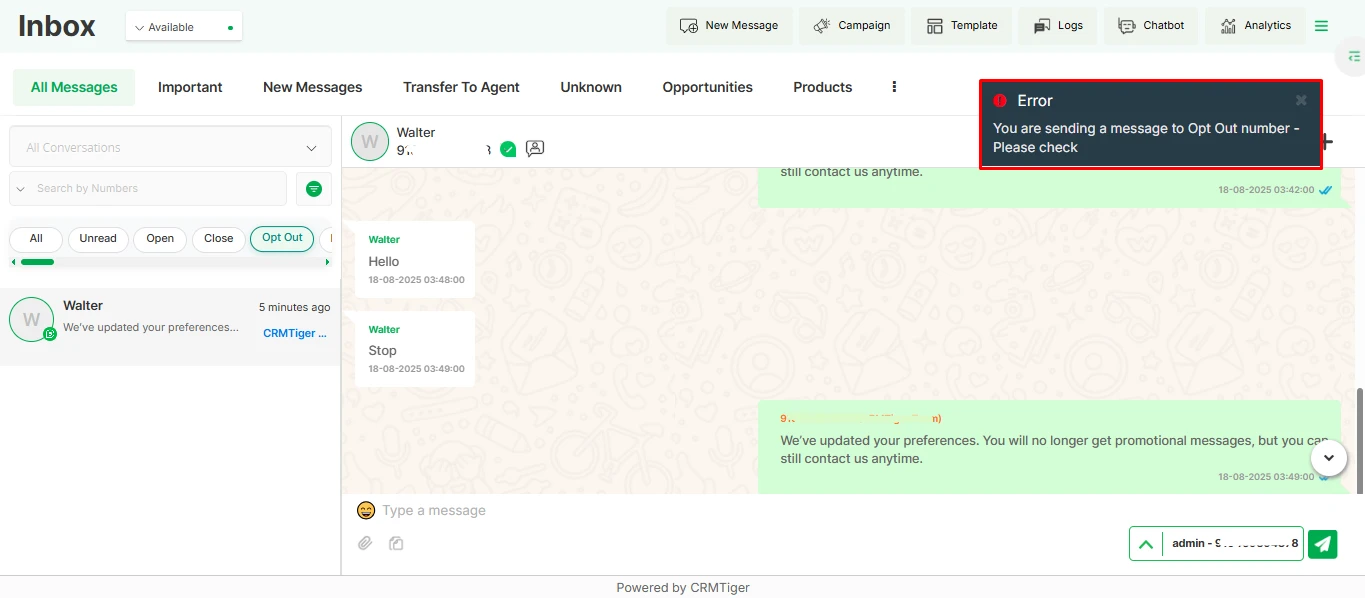
If a record is opted out, a validation message will appear while attempting to send a message, as shown in the screenshot below.
Note: Marketing opt-out will work for saved records in CRM for contact, lead, and organization modules
Ways a Customer Can Opt-Out
- Opt-Out Button in Template Messages
- Some WhatsApp templates include a predefined button (e.g., “Stop Promotions”) that customers can click to unsubscribe.
- Manual Keywords
- Customers may reply with keywords such as “STOP”, “STOP PROMOTION”, “Unsubscribe”, “Cancel”.
- The CRM detects these keywords and marks the customer as opted out.
- Chatbot Template/ Choice Question Nodes
- If the chatbot flow includes an Opt-Out option in a template node, the customer can select it to unsubscribe directly within the conversation.
- When presented with a multiple-choice message, the customer can choose the option linked to opt-out keywords Like – (Stop Promotions).
The CRM will automatically process the choice and apply the opt-out
- Mass Messages and Campaign Messages
- If a customer replies to a mass/bulk campaign message with an opt-out keyword, the CRM immediately updates their status as opted out.
- This prevents them from receiving any further campaign or bulk promotional content


 by
by