
For instance, we will consider a real time example. I have two different fields in the Contacts Module. Football Team – source field, and Football Players- target field. When a value is selected in the Football Team field, only players related to the selected team should be displayed in the Football Players field. Now let’s begin.
- Go to Settings Icon > CRM Settings > Configuration > Picklist dependency.
- Select a module, source field, and picklist fields from the dropdown.
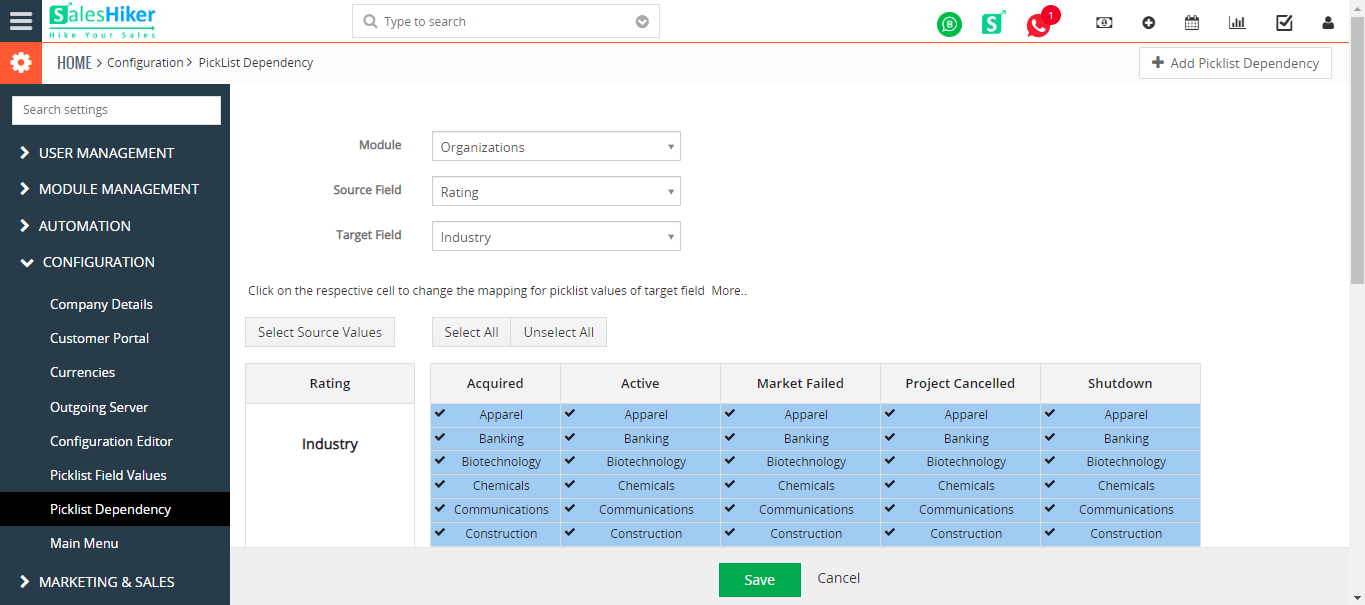
Click Save.

 by
by