
was successfully added to your cart.

View Categories

How to Manage a Mass Campaign

How to Manage a Mass Campaign

To view the Broadcast List, the user must first select the number, as shown in the screenshot below.
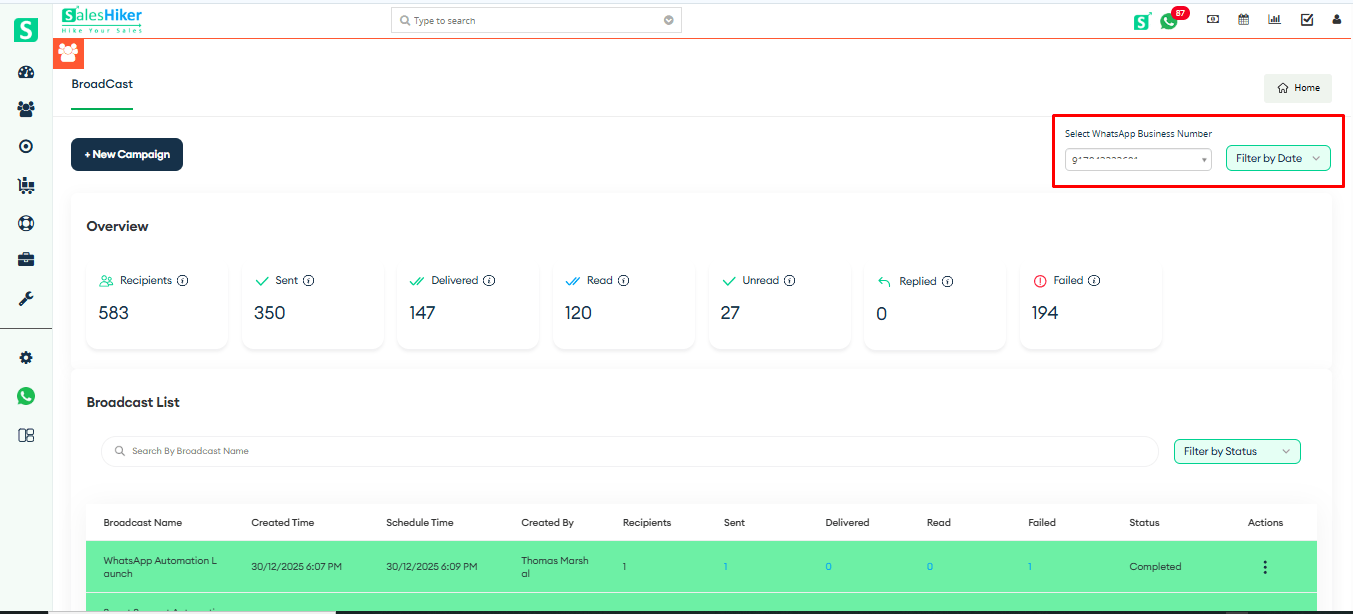
Select users from numbers

The user can select a filter to view the Broadcast List based on the selected filter, as shown in the screenshot below.
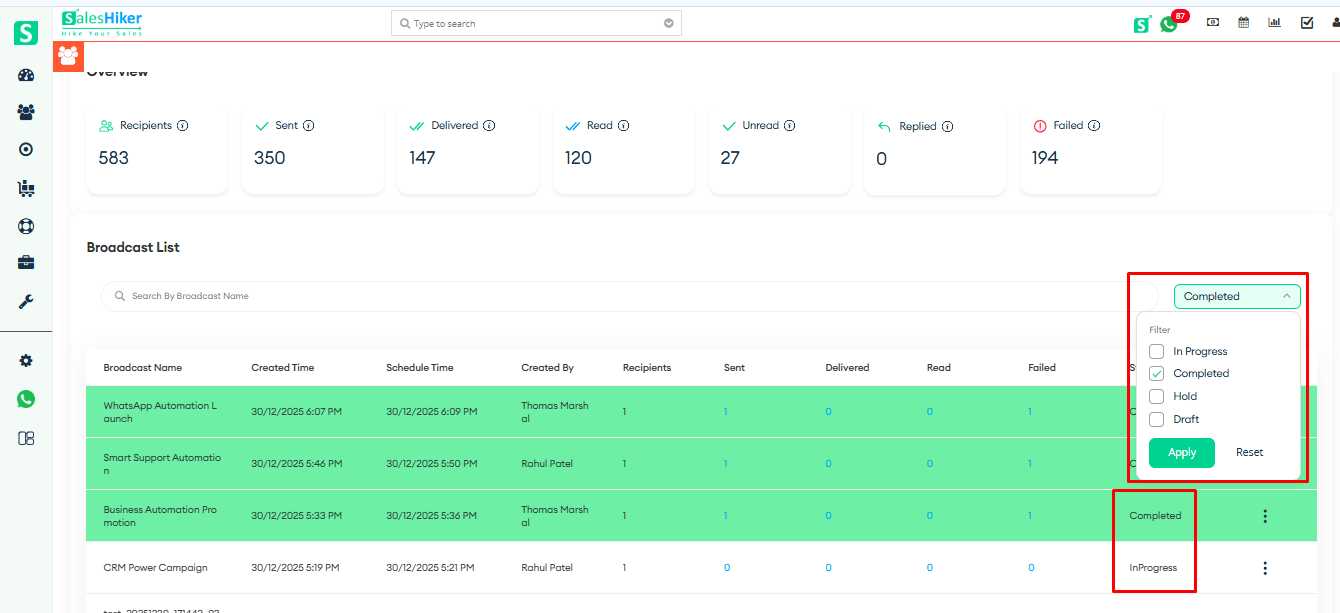
Boardcast list filter

The user can Run, Pause, or Delete a campaign directly from the Broadcast List, as shown in the screenshot below.
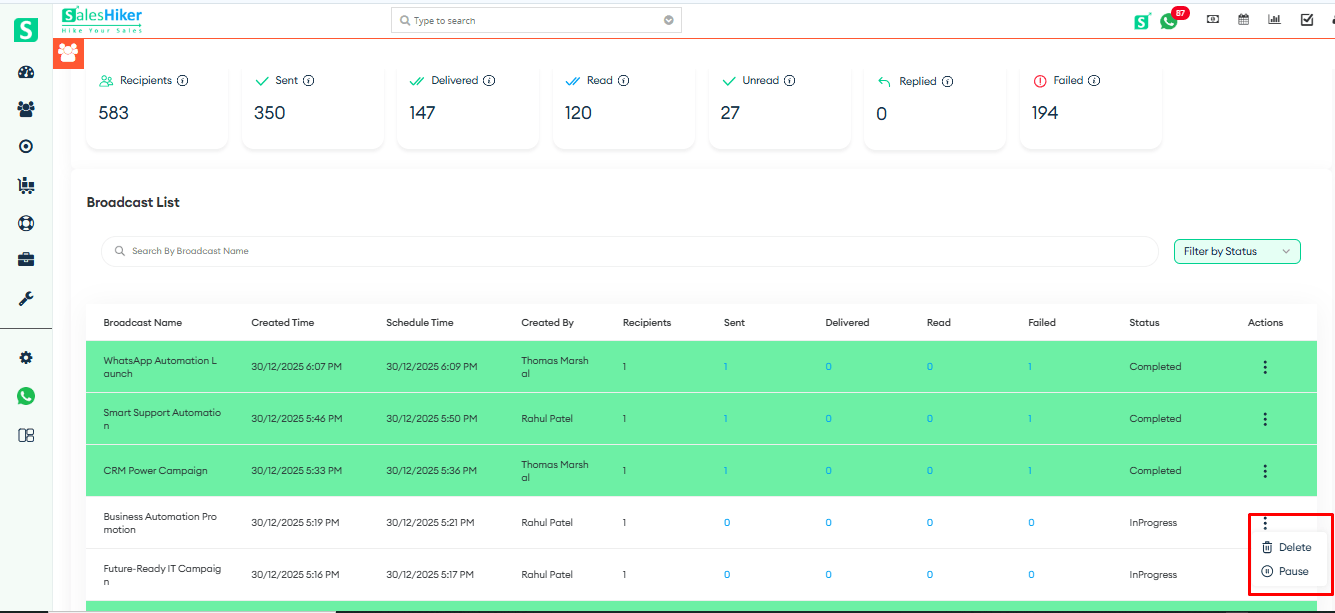
Broadcast list option delete or pause

The user can also search for a campaign by entering its name in the Search bar, as shown in the screenshot below.
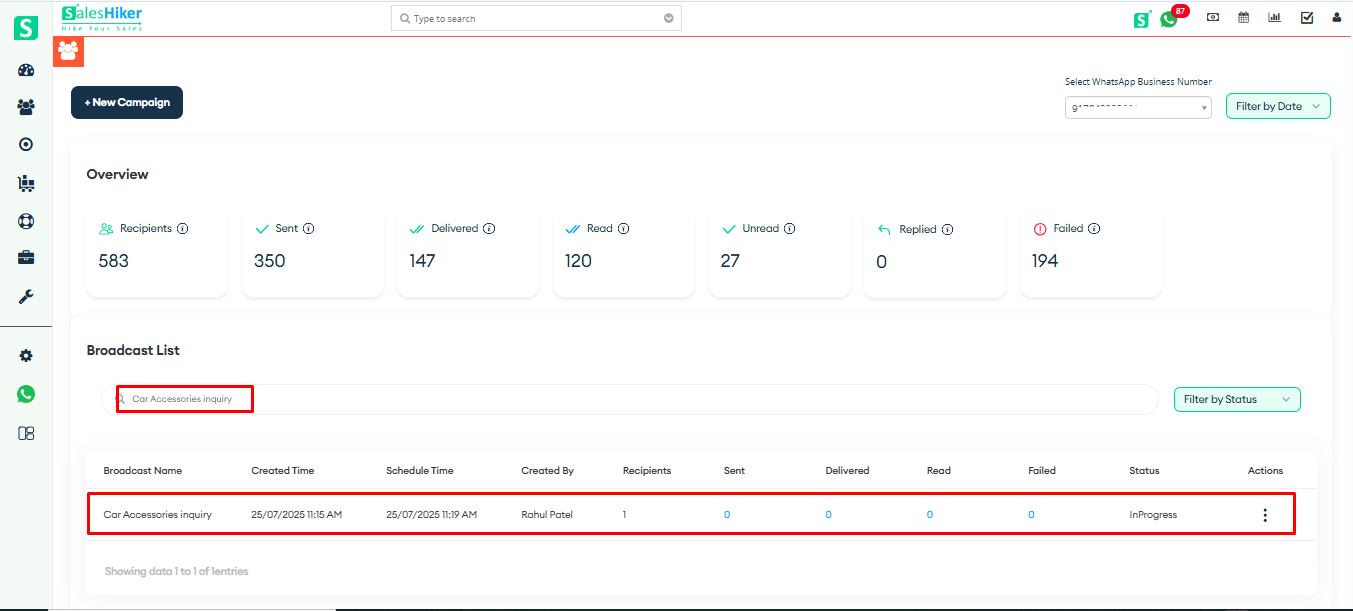

Search bar filter


Stop Losing Leads on WhatsApp. Start Closing Them

Over 500+ brands trust SalesHiker to automate conversations, nurture leads, and convert chats into revenue.

Get started now and scale your business with powerful WhatsApp CRM and automation.

Imagem perfil

SalesHiker

online

SalesHiker

Hi,How can I help you ?