
Analytics- Broadcast
The Broadcast section provides insights into bulk Campaigning activities, including the number of messages sent, delivered, and their overall performance. It helps in monitoring campaign effectiveness and tracking broadcast communication results.
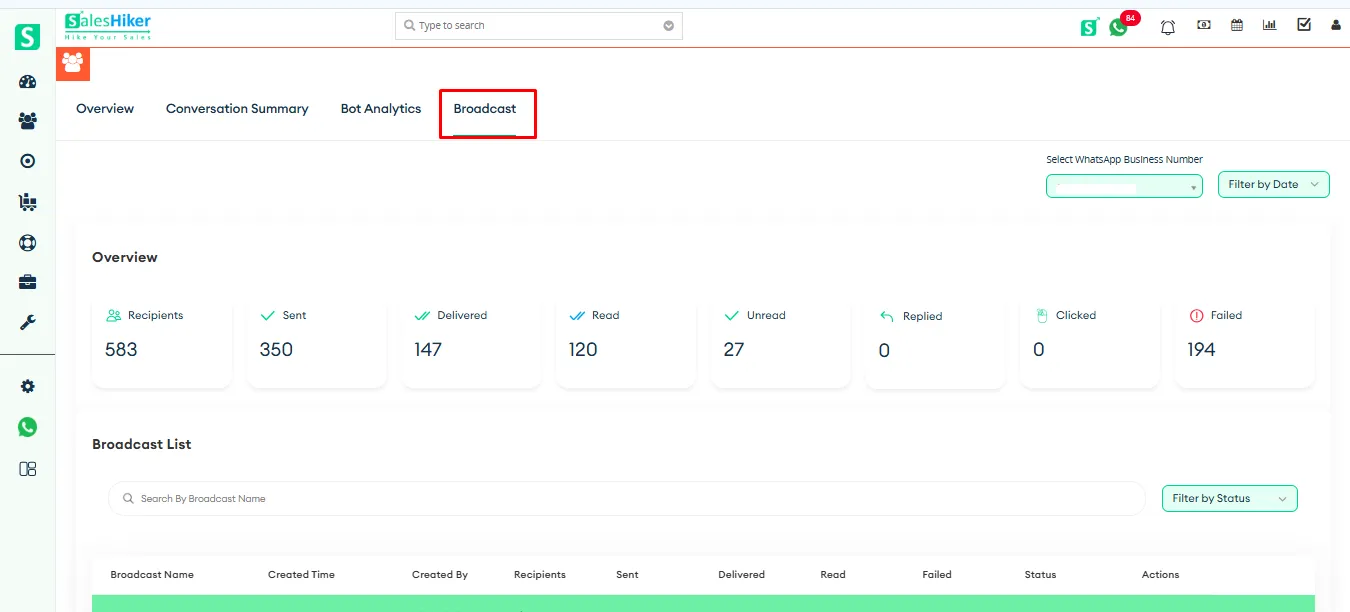
Overview
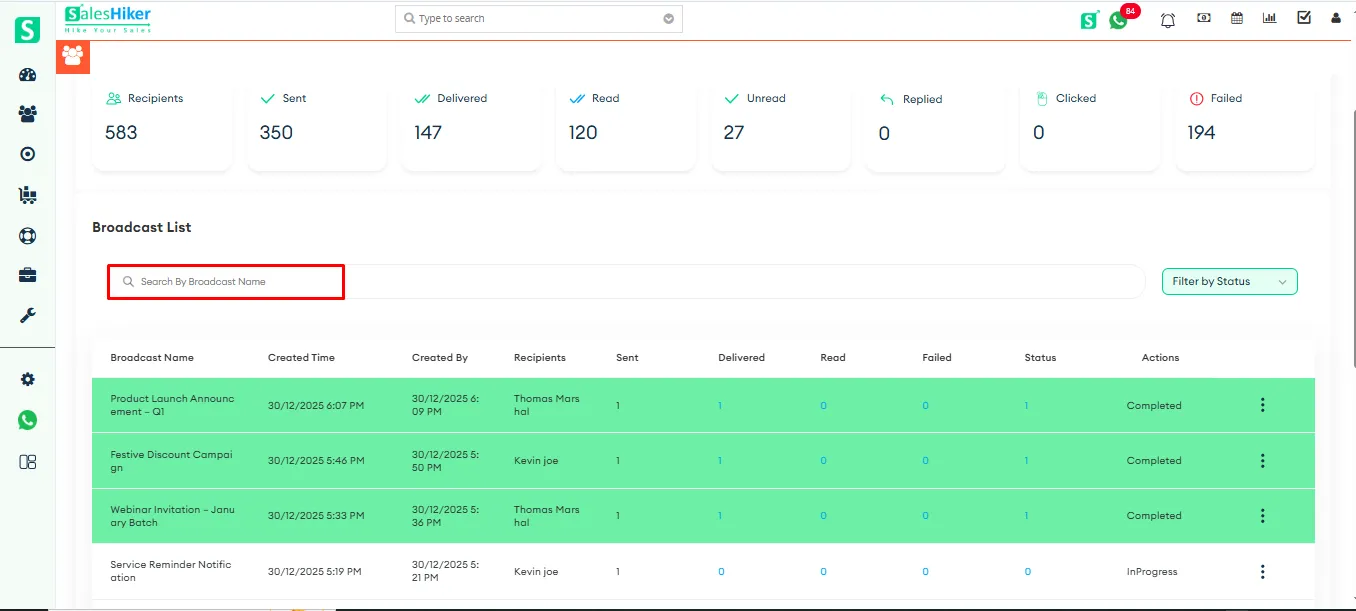
The Overview section displays a summary of broadcast performance metrics, including total Recipients, Sent, Delivered, Read, Unread, Replied, Clicked, and Failed messages. These statistics provide a quick snapshot of the overall campaign performance and message delivery status.
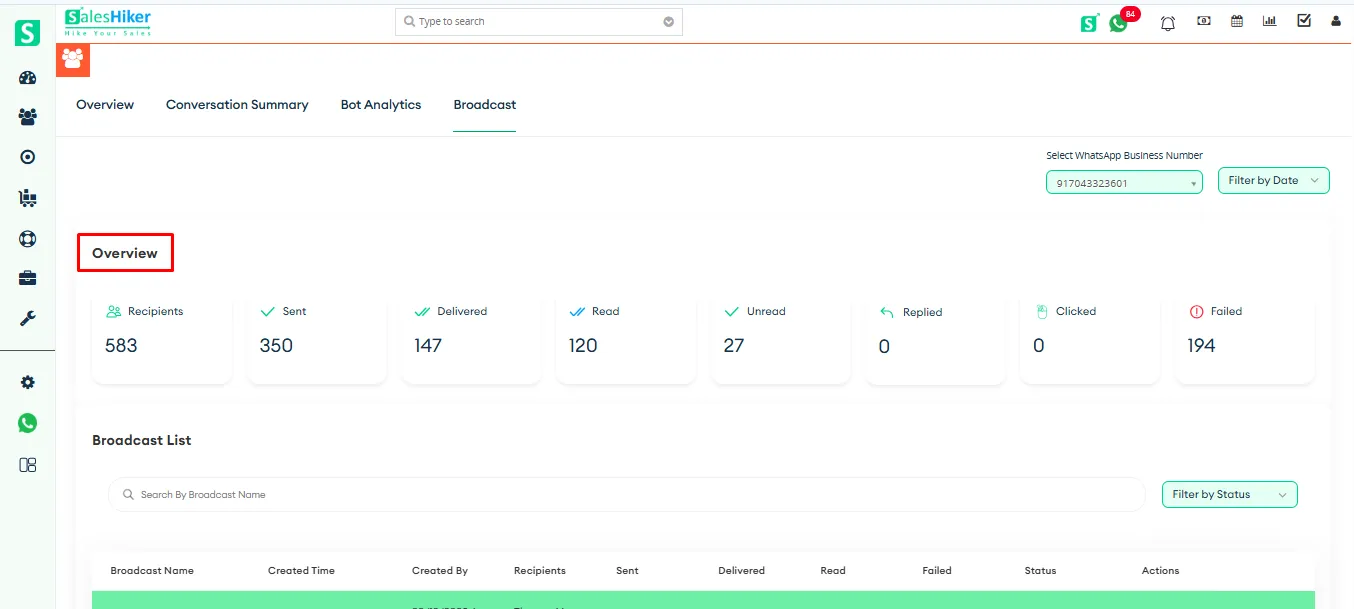
Broadcast Filters
Filters are available to view the Broadcast List based on the selected phone number, chosen date/day range, and campaign status. These filters help users refine and display the broadcast records according to specific criteria.
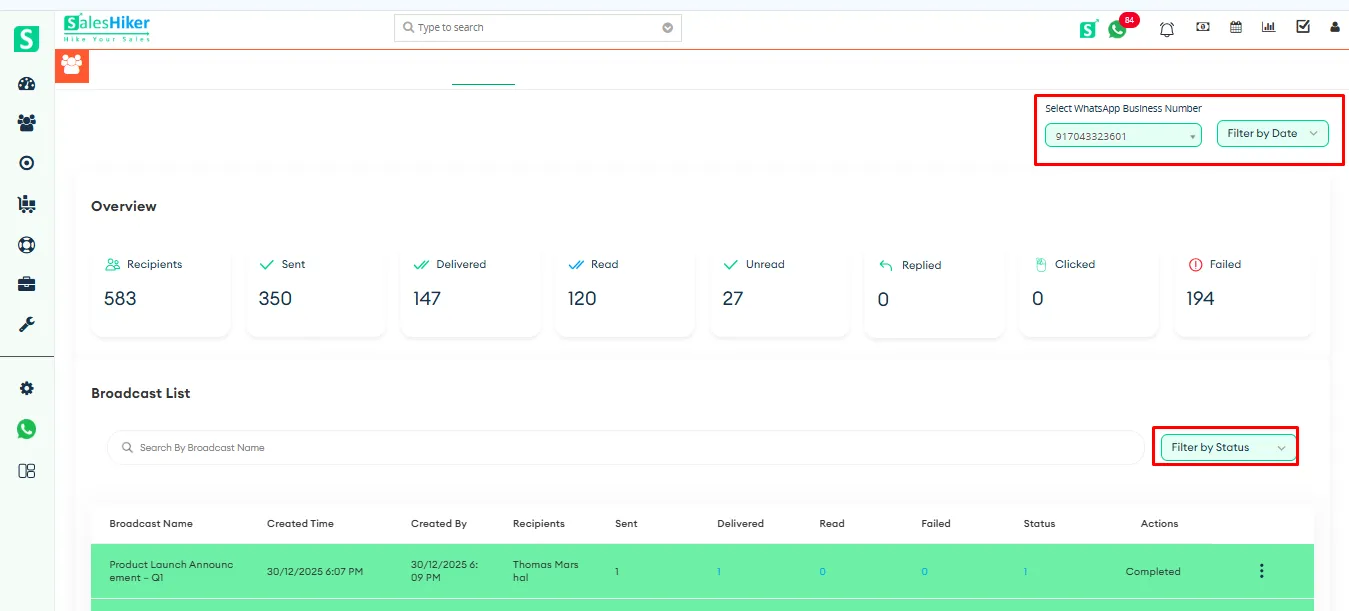
Broadcast List
The Broadcast List section provides a detailed record of all created broadcast campaigns. It includes information such as Broadcast Name, Created Time, Created By, Recipients count, Sent, Delivered, Read, Failed status, and current campaign Status (e.g., Completed or In Progress).
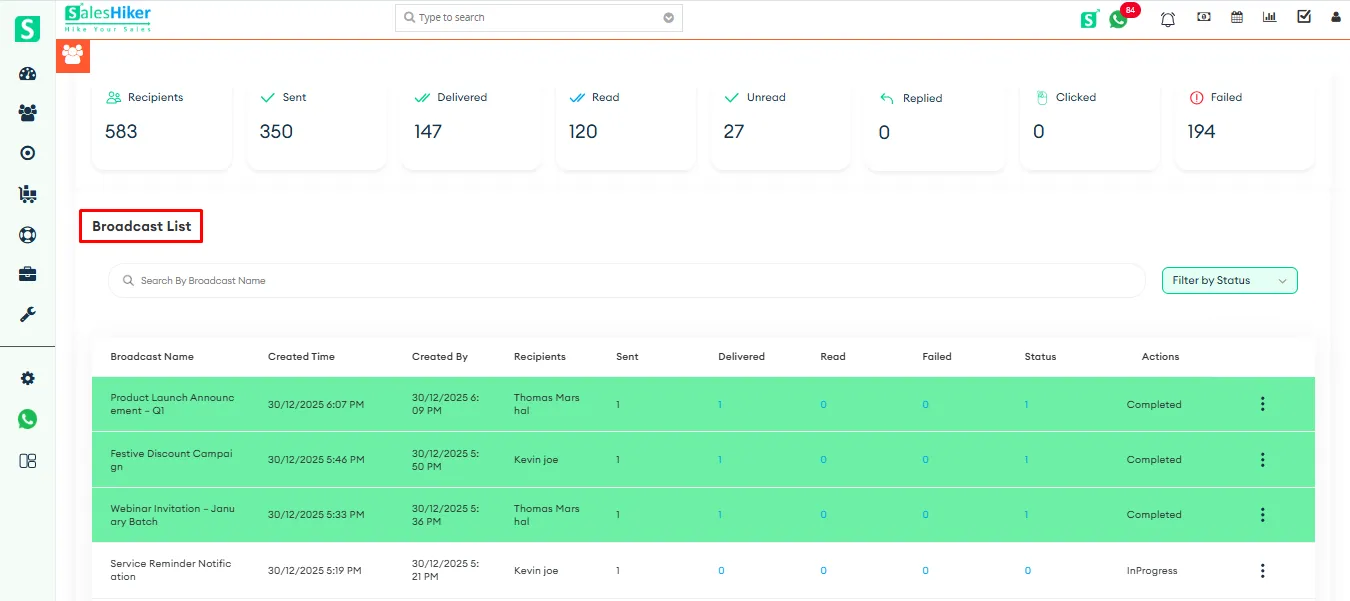
Users can also search for a specific broadcast using the search bar or filter campaigns based on their status.
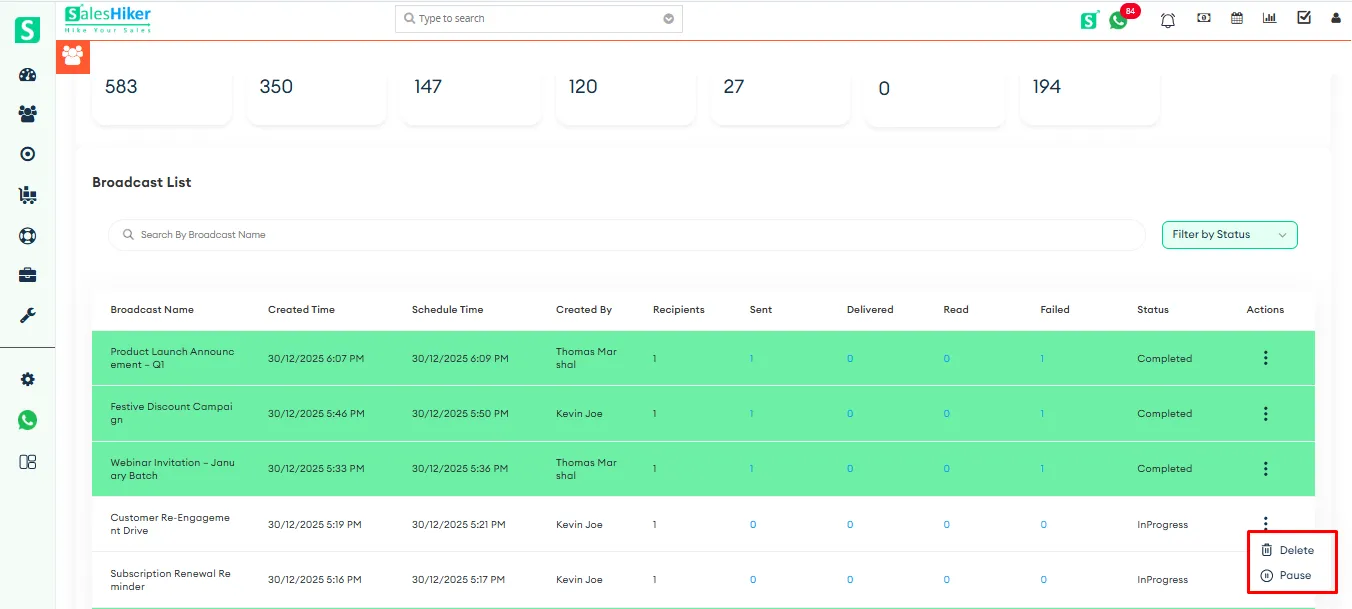
Action Menu
Pause: Temporarily stops an ongoing broadcast campaign that is currently in progress.
In Progress (Resume): Allows you to restart and continue sending messages for a previously paused campaign.
Delete: Permanently removes the selected broadcast campaign from the list.
These options enable users to effectively manage and control broadcast campaign activities.

 by
by