
Automation – Create Record
Navigate to the top navigation bar and click on the “Automation” button from Timeline view, as highlighted in the screenshot below.

The Automation – Default Settings page allows you to configure automatic actions for incoming messages and manage system-generated responses.
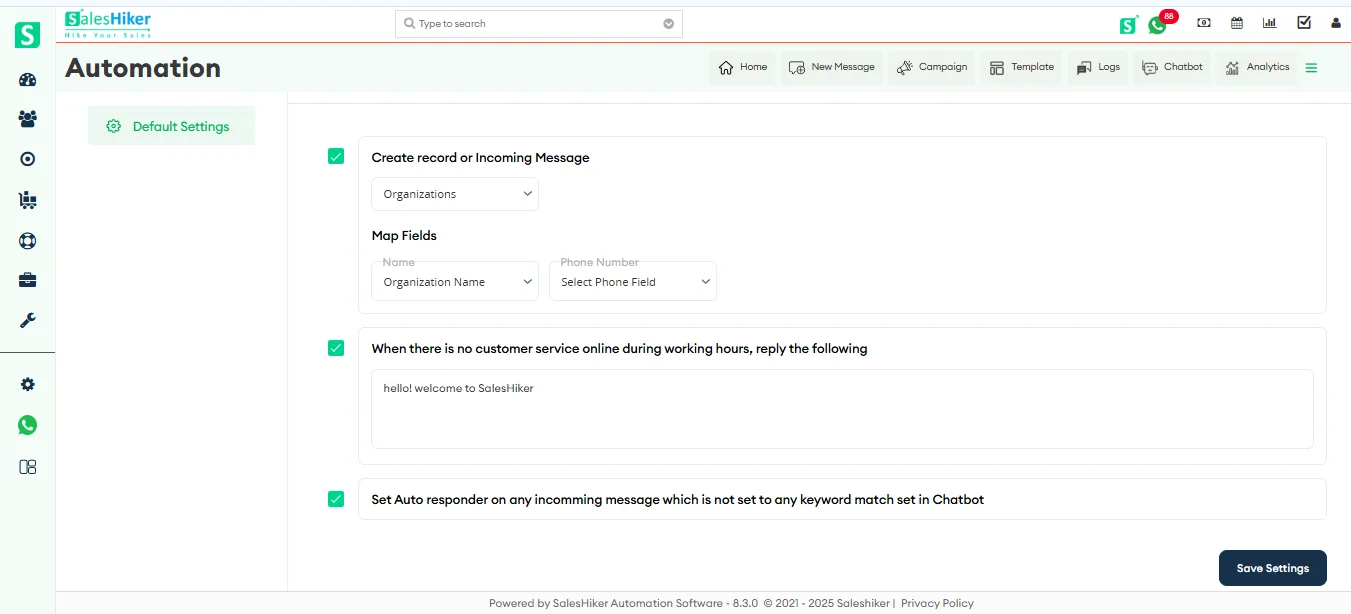
Create Record on Incoming Message
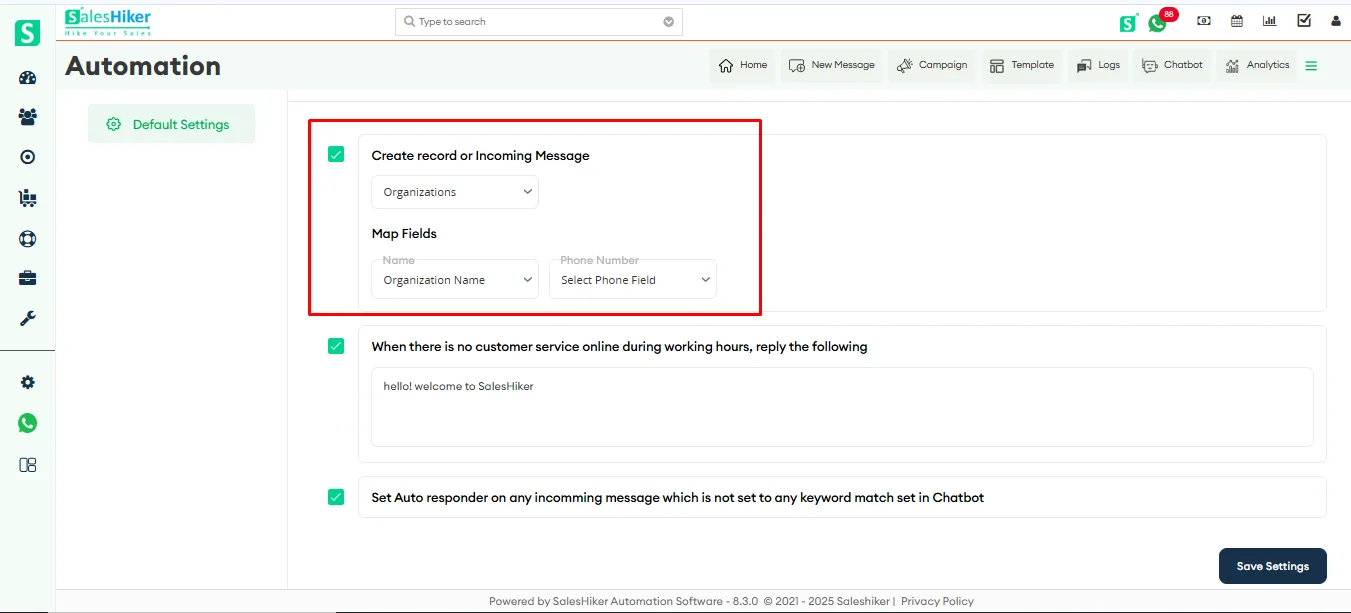
Enable this option to automatically create a new record when a message is received from an unknown number for the first time.
You can:
- Select the required Module (e.g., Organizations, Contacts, etc.).
- Map the necessary fields such as Name and Phone Number .
Note : Only the modules and phone number fields that are configured in the WhatsApp Settings page will be visible in this section.
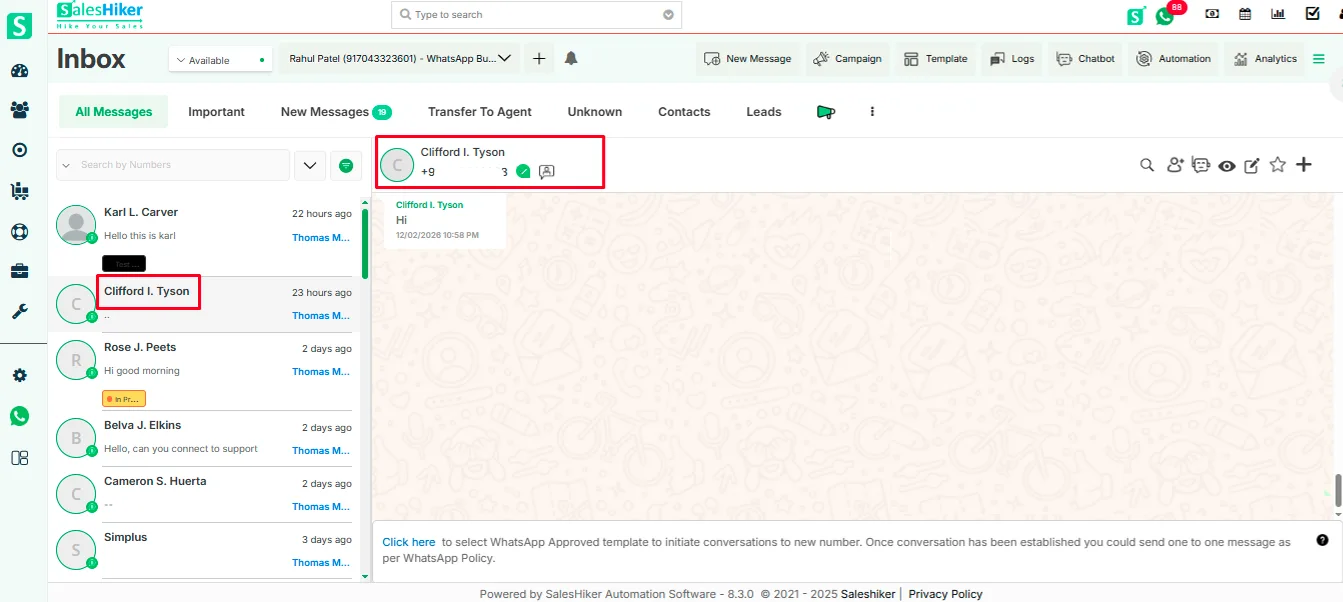
When an unknown user sends a message for the first time, the system automatically creates and saves a record in the selected module with the mapped fields, using the WhatsApp display name provided in the user’s WhatsApp account.


 by
by