
How to Manage a Mass Campaign
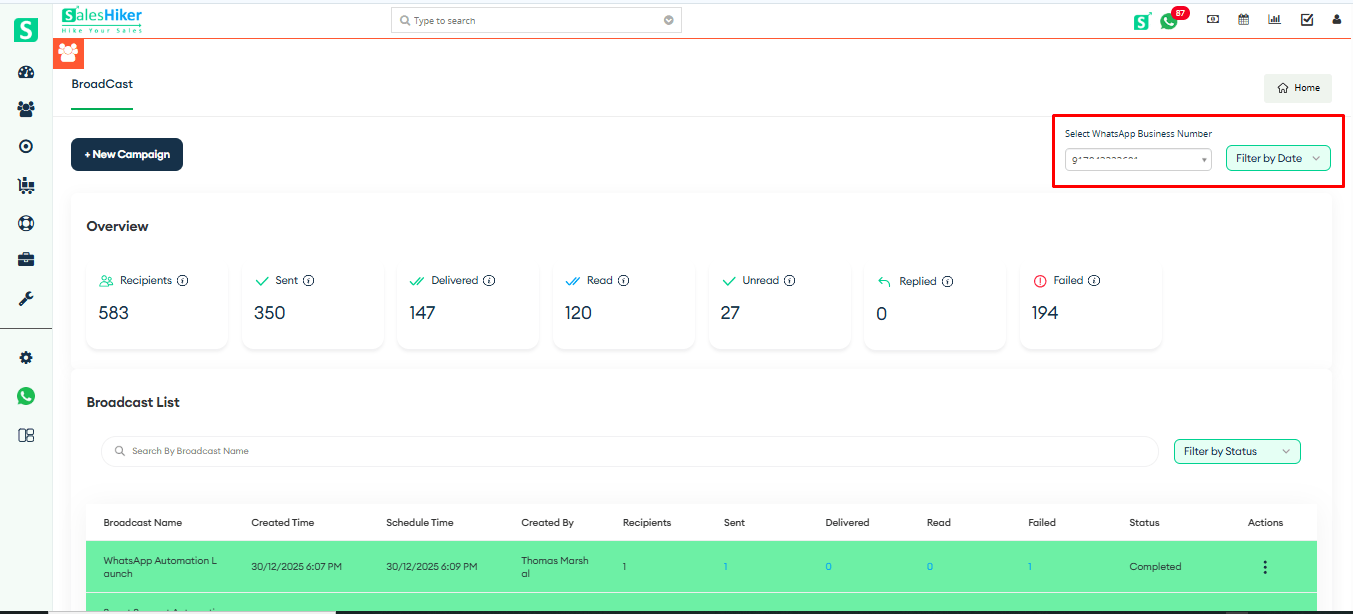
To view the Broadcast List, the user must first select the number, as shown in the screenshot below.
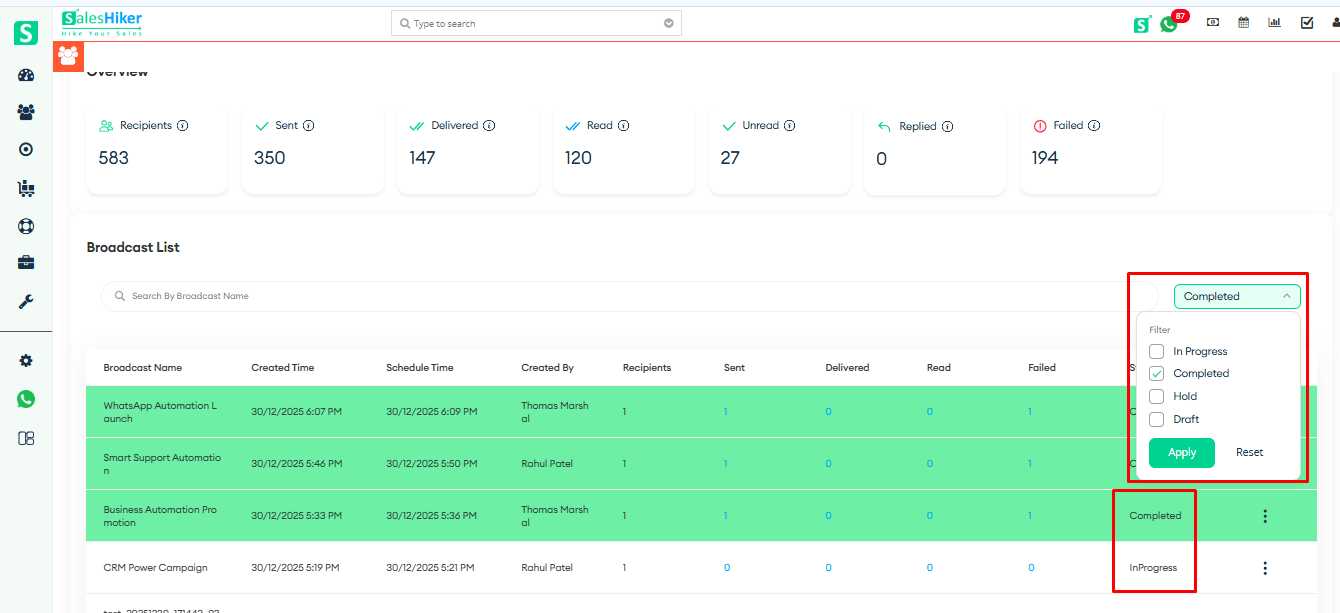
The user can select a filter to view the Broadcast List based on the selected filter, as shown in the screenshot below.
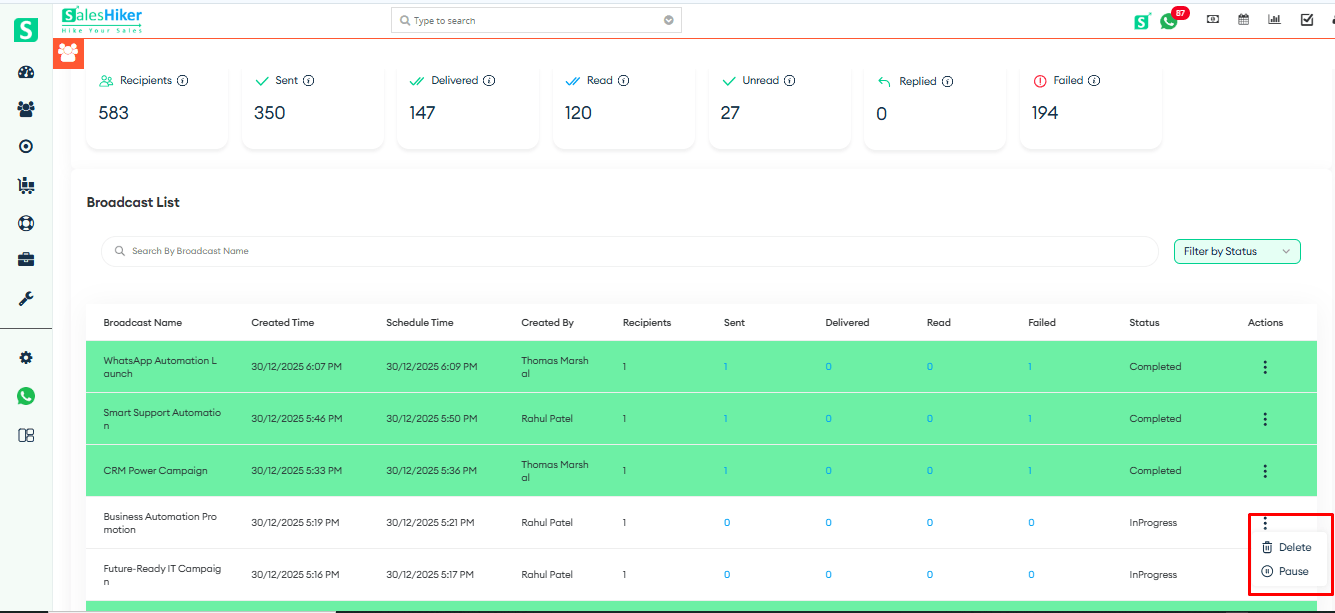
The user can Run, Pause, or Delete a campaign directly from the Broadcast List, as shown in the screenshot below.
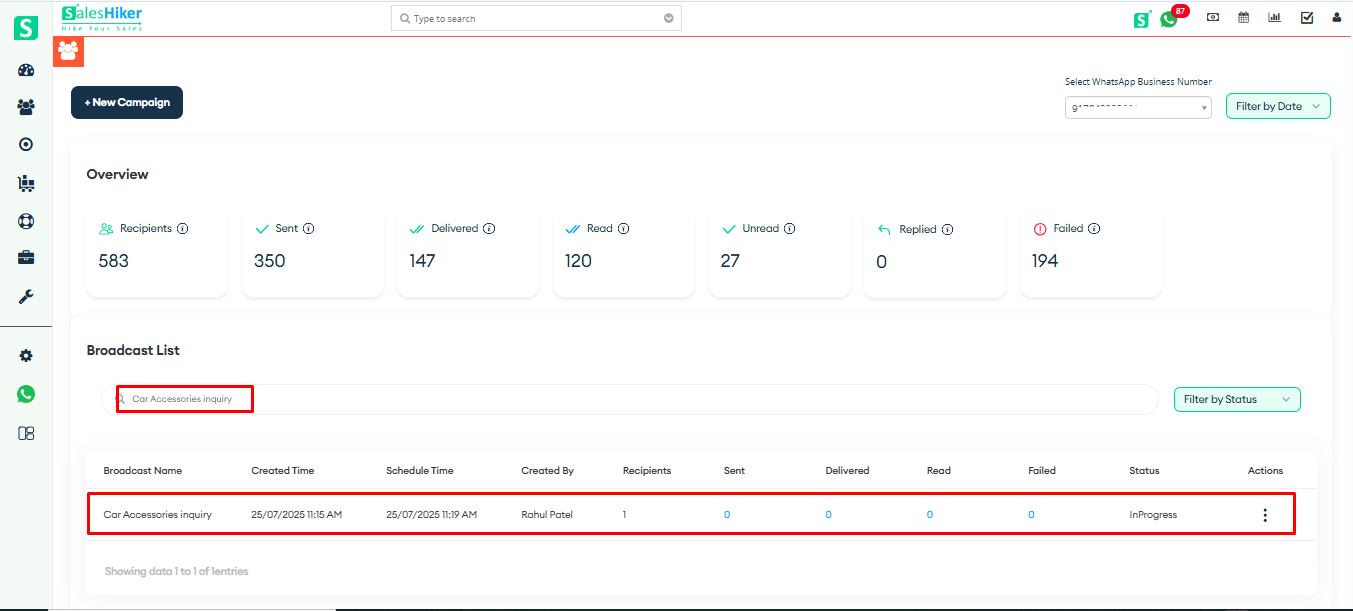
The user can also search for a campaign by entering its name in the Search bar, as shown in the screenshot below.

 by
by